


SameMovie All-In-One Video Downloader
- Download movies, TV shows and more from 1000+ video sites;
- Save videos in 720p, 1080p, 4K, and 8K;
- Preserve multi-language audio tracks and subtitles;
- 8X speed recording for any sites: YouTube, Amazon, TikTok & more;
5 Best TV Series Download Sites in 2026 for Offline Viewing

Clark Clinton November 24, 2026 Category: Topics
Streaming TV series online isn't always convenient. An unstable internet connection, a lack of Wi-Fi, or simply wanting to watch your favorite shows anytime can make streaming less ideal. That's why downloading TV series in advance and saving them to your local device has become an increasingly popular choice.
However, finding a reliable TV series download site isn't easy. Some offer limited TV series, while others have too many ads, download restrictions, or poor video quality. To make offline viewing easier, this guide covers 5 worth-trying TV series download sites, along with a better way to download TV series from various websites and keep them forever.
 You May Also Like:10 Best Safe & Legal 4K Movie Download Sites in 2026
Part 1: Quick Comparison of the Best 4K Movie Download Sites
Here's a quick comparison of the 5 free TV series download sites and tools covered in this guide.
| Comparison Criteria | SameMovie Video One | Hoopla | Internet Archive | Vimeo | YouTube | Open Culture |
|---|---|---|---|---|---|---|
| Availability | ✅ (Active & offers TV downloads) |
⚠️ (App only) |
✅ (1,000+ sites) |
⚠️ (Selected titles) |
⚠️ (App only) |
❌ (Redirects only) |
| Free Access | ⚠️ (Free trial / Paid) |
✅ (Needs library card) |
✅ | ⚠️ (Free & paid) |
⚠️ (Free / Premium) |
✅ |
| Local File Download | ✅ | ❌ (In-app only) |
✅ | ⚠️ (Creator-dependent) |
❌ (In-app only) |
❌ (Depends on host) |
| HD Download Quality | ✅ | ✅ | ❌ | ✅ | ✅ | ⚠️ (Depends on host) |
| No Ads / Pop-ups | ✅ | ✅ | ✅ | ✅ | ❌ (Ads on free tier) |
⚠️ (Third-party ads) |
| Device Compatibility | Win/Mac + transferable | Mobile/TV only | Browser-based | Browser/Mobile | Mobile app only | Browser-based |
| No Download Limits | ✅ | ❌ (Monthly & time limits) |
✅ | ⚠️ (Uploader limits) |
❌ (30-day & region locks) |
❌ (Host restrictions) |
| Ease of Use | ✅ | ⚠️ (Needs card setup) |
✅ | ✅ | ✅ | ❌ (Multi-step redirects) |
Part 2: 5 Best Free Legal Sources to Download TV Series Directly
1. Hoopla
Link: https://www.hoopladigital.com/
Rating: ⭐⭐⭐⭐
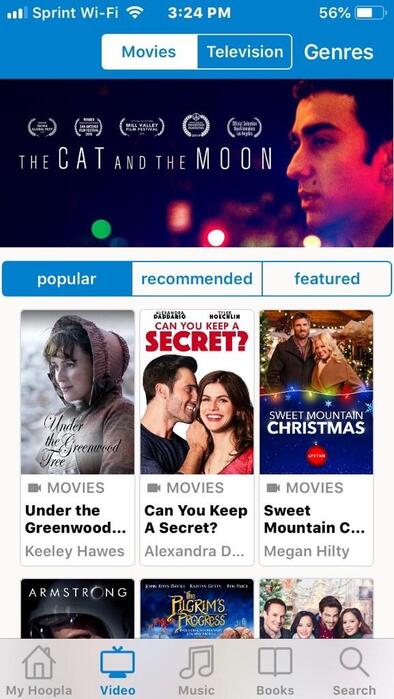
Hoopla is a global digital media platform for public library users. As long as you have a library card from a participating library, you can easily access e-books, music, movies, and TV series, including Hollywood movies, independent films, and BBC series, for free.
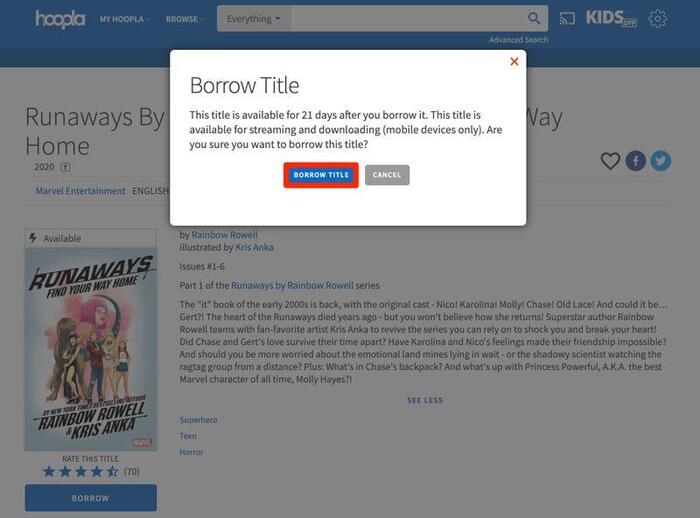
It allows you to stream content through its website or download certain titles on mobile devices for offline viewing.
How to Download TV Series with Hoopla
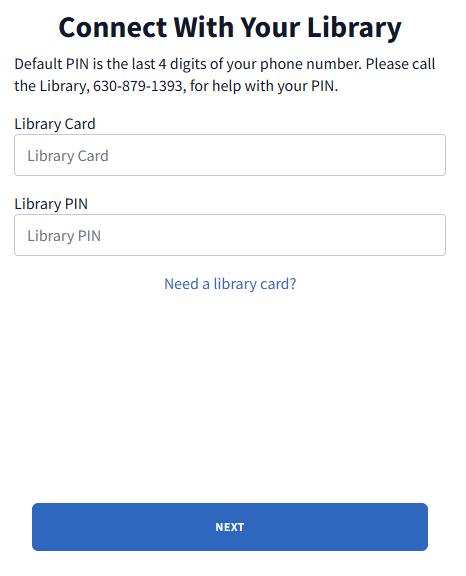
- Download the Hoopla app, register an account, and link it to a valid library card and PIN. If you're in North America, Australia, or New Zealand, check whether your local library offers Hoopla access.
- After logging in, head to the TV Shows tab, browse the series you want to download, and tap a title to open its details page.
- Click the "Borrow" button on the details page.
- Go to your library, find the borrowed TV series, and open its details page. Tap the download option to save it to your mobile device for offline viewing.
Pros & Cons of Hoopla
😊 Pros
- Free access to TV shows with a participating library card.
- No ads while streaming.
- Supports mobile downloads for offline viewing.
😣 Cons
- Requires a participating library card.
- Limited borrowing periods and monthly borrow limits.
- Downloading is not supported on desktop browsers.
2. Internet Archive
Link: https://archive.org/
Rating: ⭐⭐⭐
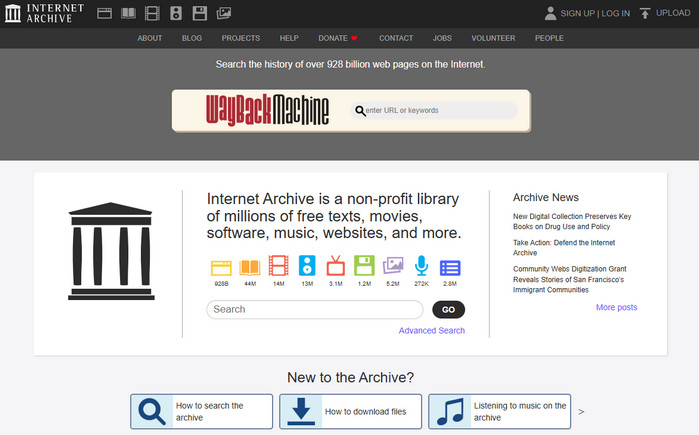
Internet Archive is a free, nonprofit digital library featuring a wide collection of movies, TV series, and documentaries. Users can stream some classic movies and TV series from the Internet Archive or directly download them to their devices. Some titles offer multiple formats and resolution options. It's a worthwhile TV series download site for those looking for old TV shows or classic movies.
How to Download TV Series with Internet Archive
- Visit the Internet Archive website through your browser.
- Type the name of the TV series you want to download and click Search.
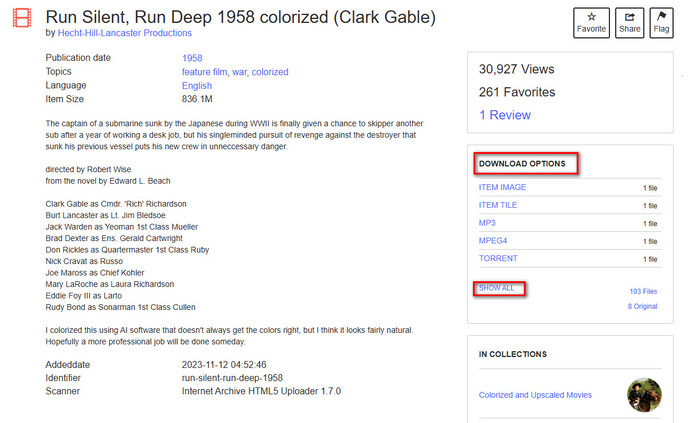
- Find DOWNLOAD OPTIONS on the right side of the page, choose your preferred video format and quality, and click it to start downloading.
Pros & Cons of Internet Archive
😊 Pros
- Free to watch and download selected TV series.
- No login or subscription required.
- Download directly through your browser without installing additional software.
- Offers multiple formats and download options for some titles.
😣 Cons
- Lacks popular new shows and recent TV series.
- Video quality varies; not all videos are available in high definition.
- Some videos do not have a direct download option.
3. Vimeo
Link: https://vimeo.com/
Rating: ⭐⭐⭐
Vimeo is a video-sharing platform focused on high-quality videos. It mainly features original short films, documentaries, independent films, and creator-generated content, but it also offers some TV series, shows, and movies.
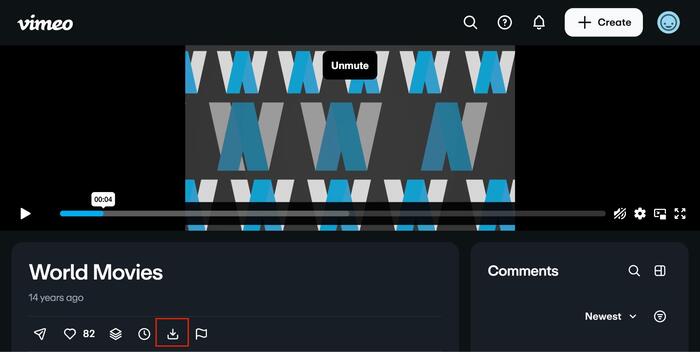
Whether you can download TV series from Vimeo depends on whether video creators enable downloads for their content. Therefore, it has certain limitations as a TV series download site.
How to Download TV Series from Vimeo
- Visit Vimeo and search for the TV series or video you want to download. Open the video page to check whether downloads are available.
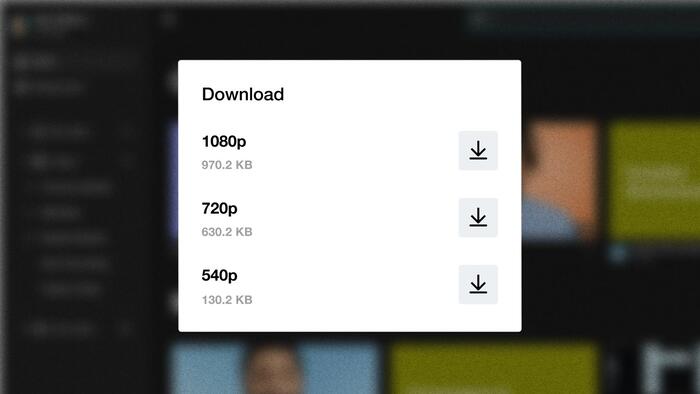
- Click the Download button, select your preferred video quality and file size, then click the download icon next to your chosen version.
- Choose a save location on your computer. Once the download is complete, you can watch the video offline without an internet connection.
Pros & Cons of Vimeo
😊 Pros
- Ad-free viewing experience.
- Offers high-quality videos.
- Allows direct downloads of certain videos without third-party tools.
- Supports multiple download quality options for some videos.
😣 Cons
- Limited TV series availability compared with dedicated streaming platforms.
- Not all videos are available for download.
- Download permissions depend on uploaders.
- Some downloads may require signing in.
- No guarantee of complete episodes or full seasons.
4. YouTube
Link: https://www.youtube.com/
Rating: ⭐⭐⭐⭐
YouTube is a well-known video-sharing platform, but it can also be a TV series download site. Some official TV broadcasters and production companies, such as KBS WORLD TV and SBS, release older TV series or lesser-known shows for free.
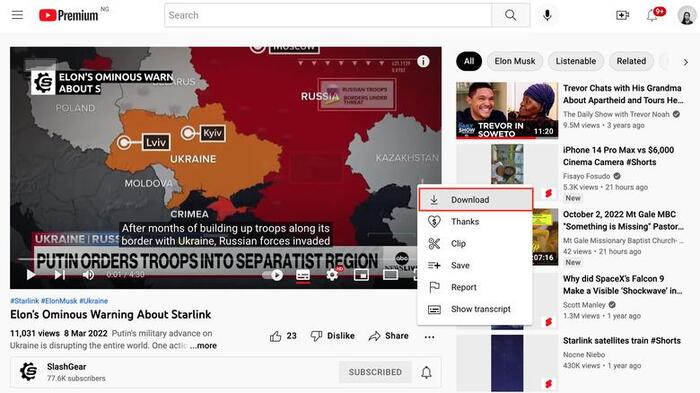
You can find some full episodes and watch them for free. However, you need to note that YouTube downloads are often saved within the app and cannot be transferred to other devices or players for offline viewing.
How to Download TV Series with YouTube
- Open the YouTube app or visit YouTube.com in your browser.
- Search for [Title Name] Full Episodes or [Title Name] TV Series in the search bar.
- Find a video containing full episodes and click on it.
- Click the Download button below the video player if available to save it for offline viewing.
Pros & Cons of YouTube
😊 Pros
- Offers free TV episodes, classic series, and official TV content.
- Easy to find videos using titles or keywords.
- Supports offline viewing through its official download feature.
😣 Cons
- Limited availability of complete episodes and full seasons.
- Some videos are region-restricted.
- Offline downloads are usually stored within the app, not as local video files.
5. Open Culture
Link: https://www.openculture.com/
Rating: ⭐⭐⭐
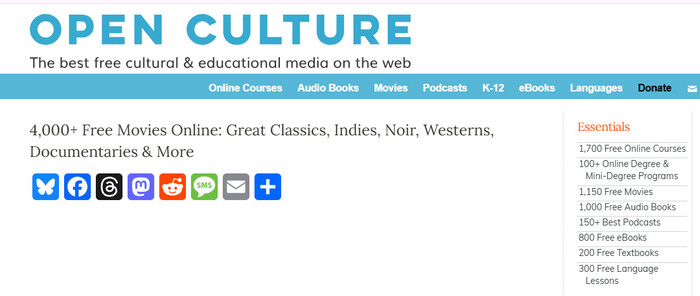
For users looking for a TV series download site, Open Culture is an easy and straightforward option for discovering free resources. It doesn't host TV series or offer direct downloads. Instead, it curates and recommends free resources from other websites.
Once you find a TV series you're interested in, click on it, and you'll be redirected to a website that hosts the content. Whether you can download the TV series depends on the final website.
How to Download TV Series with Open Culture
- Open Open Culture in your browser and browse its free movie collections.
- Click Movies or open the Free Movies collection to browse the available titles and resource lists.
- Follow the link provided on the page to visit the third-party resource website and check whether it offers video playback or download options.

Pros & Cons of Open Culture
😊 Pros
- Free to access, with no subscription required.
- Curates free movie and video resources from different websites.
- Easy to browse and discover classic films and documentaries.
😣 Cons
- Limited TV series resources.
- Doesn't host videos or provide direct downloads.
- Download availability and video quality depend on third-party websites.
Part 3: SameMovie – Best for Stable TV Series Downloads on Desktop
Free TV series download sites often have limitations, such as limited resources, numerous download restrictions, or the need to be redirected to third-party platforms. However, a professional desktop video downloader can offer a more stable way to download TV series.
SameMovie Video One supports over 1,000 streaming sites, including mainstream paid platforms like Netflix, Amazon Prime Video, Disney+, and HBO Max, as well as free streaming sites like Tubi, Pluto TV, Plex, Xumo Play, and The Roku Channel.
With SameMovie, you can download your favorite TV series as MP4 or MKV files and watch them offline anytime. What's more, with the batch download feature, you can download an entire season at once.
Key Features of SameMovie Video One:
- Download videos from 1000+ websites
- Download videos in HD quality, including 720p, 1080p, and 8K
- Download multiple videos simultaneously at 10X faster speed
- Preserve multilingual audio tracks and subtitles
- 8X speed recording for any sites: YouTube, Amazon, TikTok & more
How to Download TV Series with SameMovie
STEP 1 Install SameMovie Video One
Install SameMovie Video One and launch it. Find your preferred streaming site in the list of supported sites. Here, we'll use Tubi as an example.
Works on Windows 11/10/8/7 and macOS 11 or later.
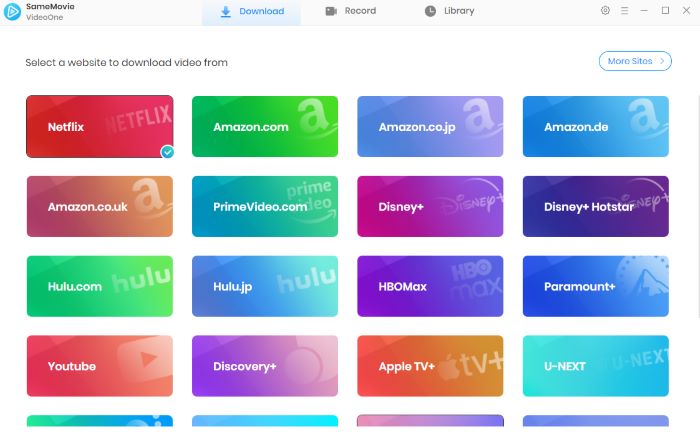
STEP 2 Search for TV Series
Use the built-in browser to search for your preferred TV series on Tubi, or simply paste the video link into the search bar.
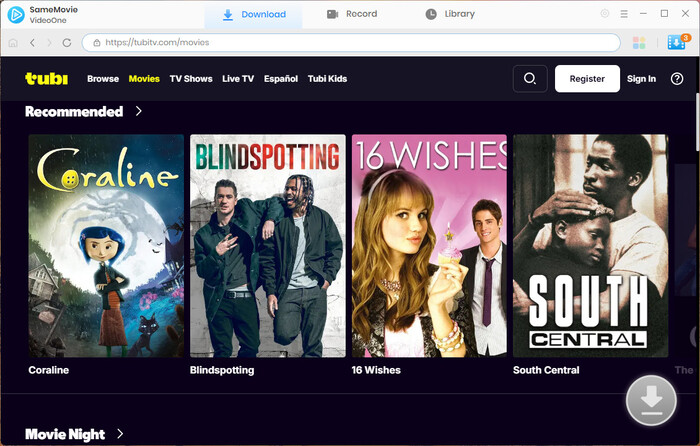
STEP 3 Customize Your Download
Click the Detect Video button in the bottom-right corner. In the new pop-up window, select the episodes you want to download, then customize the video quality, audio tracks, and subtitles to your preferences.
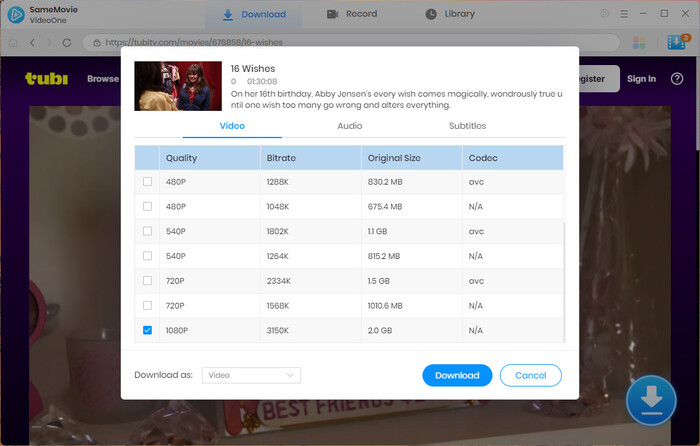
STEP 4 Access Your Downloaded Videos
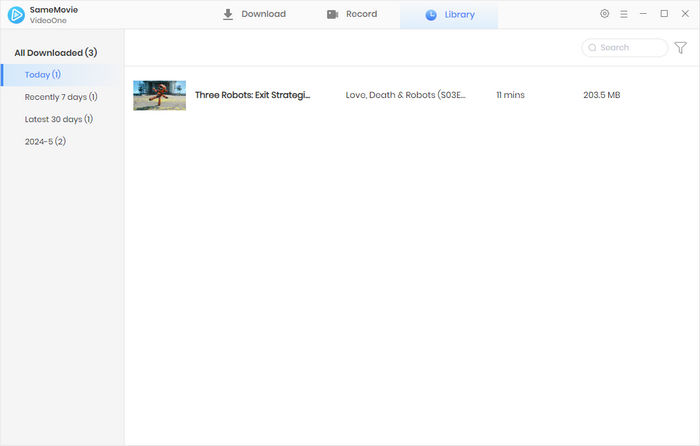
Click the Download button to start the process and wait for it to finish. Once the download is complete, head to the Library tab to find all your downloaded TV series saved locally on your device.
Part 4: FAQ About TV Series Download Sites
Can I Download TV Series as MP4?
It depends on the website or tool you're using. Many streaming platforms, such as Netflix, Amazon Prime Video, and Hoopla, only allow offline downloads within their apps, so you can't save them as regular video files or transfer them to other devices. Some free video libraries, like Internet Archive, offer downloadable videos in different formats that you can save locally.
If you want to download TV series and save them as local video files for offline viewing, SameMovie Video One is another option to consider.
Can I Download TV Series for Free?
Yes! The 5 TV series download sites introduced in this guide are free to access, but some have restrictions, such as limited TV series availability, download limitations, or inconsistent video quality. SameMovie Video One also supports downloading TV series from free streaming platforms like Tubi and Pluto TV, making it another option for offline viewing.
Conclusion
Downloading TV series for offline viewing is convenient, but there is no single perfect free TV series download site. Some sites offer limited TV series, while others have download restrictions, inconsistent video quality, or no direct download options.
Based on the comparison above, SameMovie Video One is a worthwhile alternative for users who want to download TV series in HD and save them as local video files for offline viewing.
Clark Clinton is a senior writer renowned for her expertise in resolving streaming platform download errors. Her concise writing style and practical methods have earned her a stellar reputation among readers and peers alike. Whether you're facing a technical glitch or seeking streaming tips, Clark's guidance ensures a smooth and enjoyable reading experience.