


SameMovie All-In-One Video Downloader
- Download movies, TV shows and more from 1000+ video sites;
- Save videos in 720p, 1080p, 4K, and 8K;
- Preserve multi-language audio tracks and subtitles;
- 8X speed recording for any sites: YouTube, Amazon, TikTok & more;
10 Best Safe & Legal 4K Movie Download Sites in 2026

Clark Clinton September 25, 2026 Category: Topics
More and more users want to download 4K movies to enjoy better video quality and watch them offline. However, it's not easy to find a free, legal platform that allows you to download movies in 4K.
No worries! This guide introduces 10 4K movie download sites — all of which are free and legal platforms worth trying. If you're looking for more flexible download options, we've also tested SameMovie Video One to see if it can meet your 4K movie download needs. Keep reading!
 You May Also Like: 3 MKV Movie Download Methods That Still Work in 2026
Part 1: Quick Comparison of the Best 4K Movie Download Sites
Here's a quick comparison of the 10+ 4K movie download sites and tools covered in this guide.
| Platform / Tool | Rating | Free | 4K Availability | Download | Region | Content Type |
|---|---|---|---|---|---|---|
| SameMovie Video One | ⭐⭐⭐⭐⭐ | ✗ | Up to 8K | ✓ | Worldwide | 1,000+ supported sites, trending TV series, shows, & movies |
| Internet Archive | ⭐⭐⭐ | ✓ | Limited | ✓ | Worldwide | Public Domain & Classic Movies |
| Public Domain Torrents | ⭐⭐⭐ | ✓ | Very Limited | ✓ | Worldwide | Classic Films & B-Movies |
| Blender Open Movies | ⭐⭐⭐⭐ | ✓ | Some 4K | ✓ | Worldwide | Open-Source Animated Shorts |
| Wikimedia Commons | ⭐⭐⭐ | ✓ | Some 4K | ✓ | Worldwide | Archival Footage & Short Clips |
| PeerTube | ⭐⭐⭐⭐ | ✓ | Some 4K | ✓ | Worldwide | Open-Source & Independent Films |
| Public Domain Movies | ⭐⭐⭐ | ✓ | Very Limited | ✓ | Worldwide | Classic Public Domain Movies |
| Kaleidescape | ⭐⭐⭐⭐ | ✗ | Extensive 4K | ✓ | Selected regions | Commercial Hollywood Blockbusters |
| Movies Anywhere | ⭐⭐⭐⭐ | ✗ | Extensive 4K | ✓ | Mainly U.S. | Mainstream Studio Movies |
| Fandango at Home | ⭐⭐⭐⭐ | ✗ | Extensive 4K | ✓ | Mainly U.S. | Commercial Hollywood Blockbusters |
| Apple TV | ⭐⭐⭐ | ✗ | Extensive 4K | ✓ | Selected regions | Commercial Hollywood Movies |
Part 2: 6 Best Free 4K Movie Download Sites
⚠️ Note: Because of strict copyright protection and high server bandwidth costs, it is extremely rare to find completely free and legal 4K movie download sites. Although the platforms recommended below offer high-definition, true 4K-quality movies and TV shows make up only a small portion of their content.
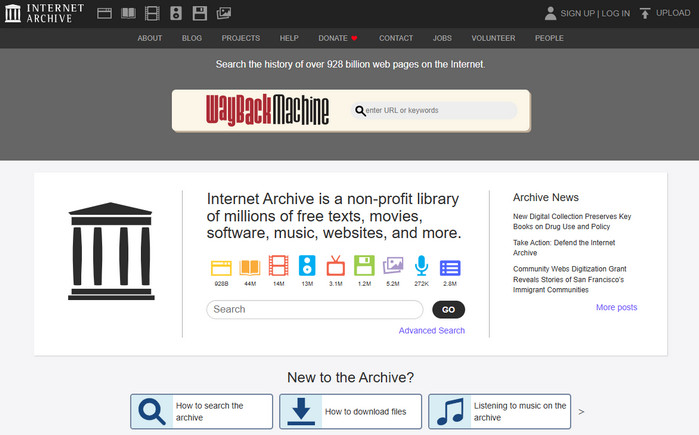
1. Internet Archive
Link: https://archive.org/
Rating: ⭐⭐⭐
Currently, the Internet Archive is one of the largest and most reliable free 4K movie download sites. It offers a vast collection of classic public domain movies for downloading. However, because the Internet Archive is a non-profit website, its 4K movie resources are very limited. There are only a few old movies (restored) and documentaries that are in 4K quality.When visiting this site, searching for "4K" in the search bar will help you find high-quality movies more quickly.
Pros & Cons of Internet Archive
😊 Pros
- Completely free and legal.
- Huge library of public domain titles.
😣 Cons
- Very few native 4K movies.
- Search results can be messy.
- Interface feels outdated
- Movies are mostly outdated
2. Public Domain Torrents
Link: https://www.publicdomaintorrents.info/
Rating: ⭐⭐⭐
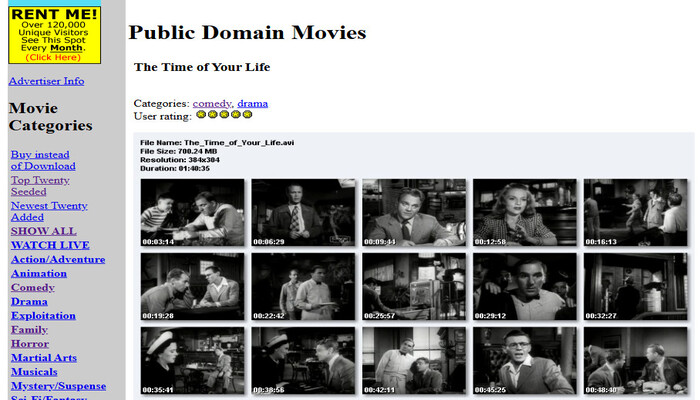
Public Domain Torrents is a free 4K movie download website dedicated to public domain movie torrents. It functions more like a torrent index site, with most content shared among users.
Similar to the Internet Archive, the movies it offers are mostly older titles. While there are some native 4K movies, they are few and far between.
Pros & Cons of Public Domain Torrents
😊 Pros
- Focuses exclusively on public domain movies, offering cleaner content
- Provides multiple formats (AVI, MP4, etc.) for easy downloading
- Completely legal and free, with no registration required
- Uses BitTorrent for downloads, which is highly efficient for large files
😣 Cons
- Most movies are older (primarily classic films and B-movies)
- Very little true 4K content
- Relies on users to seed files; download speeds for some obscure titles may be very slow
- The website interface is rather basic
- The number of resources is far fewer than on the Internet Archive
3. Blender Open Movies
Link: https://video.blender.org/c/blender_open_movies/videos
Rating: ⭐⭐⭐⭐
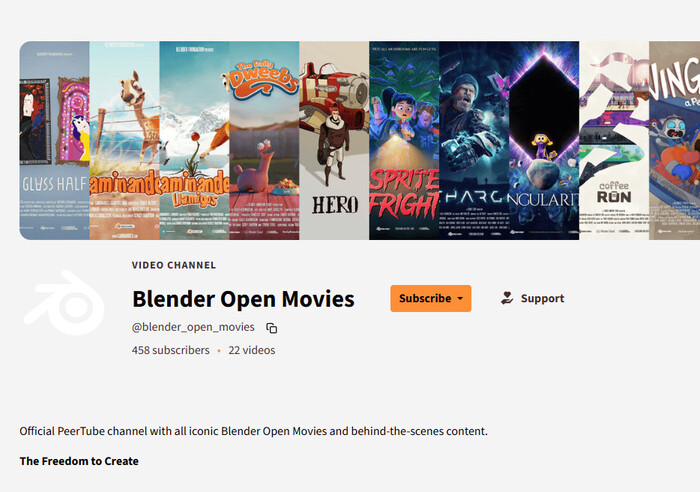
Blender Open Movies is a program by Blender that has released a series of open-source animated shorts, such as Big Buck Bunny, Sintel, Tears of Steel, Spring, Sprite Fright, and Singularity. These animations are licensed under Creative Commons. Users can view and download these animated shorts directly from Blender's official PeerTube node. The vast majority of these animated shorts are available in high definition, and some can even be downloaded in 4K quality.
Pros & Cons of Blender Open Movies
😊 Pros
- Completely legal, free, and copyright-safe.
- Built-in download button supports direct downloads in up to 4K without third-party tools.
- Simple, clean interface with no malicious ads or pop-ups.
- High-quality open-source 3D animation and visual effects.
😣 Cons
- Only offers officially produced animated shorts, not commercial feature-length films.
- Older productions are often limited to 1080p.
4. Wikimedia Commons
Link: https://commons.wikimedia.org/wiki/Main_Page
Rating: ⭐⭐⭐
Wikimedia Commons is an online public database of freely licensed images, audio, and video files. It provides media support for projects such as Wikipedia, and users worldwide can download and reuse its content legally and free of charge.
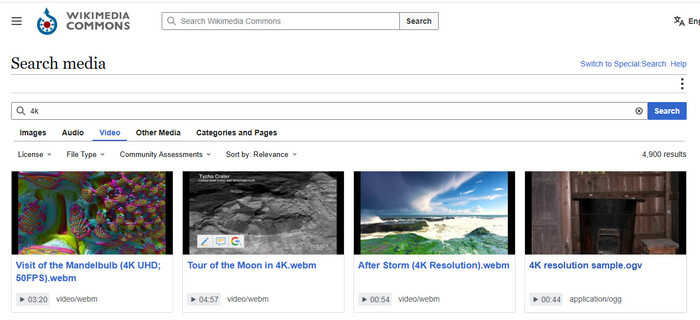
Pros & Cons of Wikimedia Commons
😊 Pros
- 100% legal and free to download and reuse.
- Offers restored historical footage, scientific animations, and official 4K content from NASA and other organizations.
- No ads, download limits, or paywalls.
😣 Cons
- Few commercial feature-length movies; most content is archives, documentaries, and short films.
- Mostly uses WebM or Ogg formats, which may require conversion on some devices.
- Less intuitive search and interface than modern streaming platforms.
5. PeerTube
Link: https://joinpeertube.org/
Rating: ⭐⭐⭐⭐
As one of the top 4K movie download sites, PeerTube offers open-source movies and anime. Users can watch high-quality videos directly online or download them for offline viewing. Some titles available in 4K resolution. For users looking for free and legal 4K movie download sites, PeerTube is a great option to try.
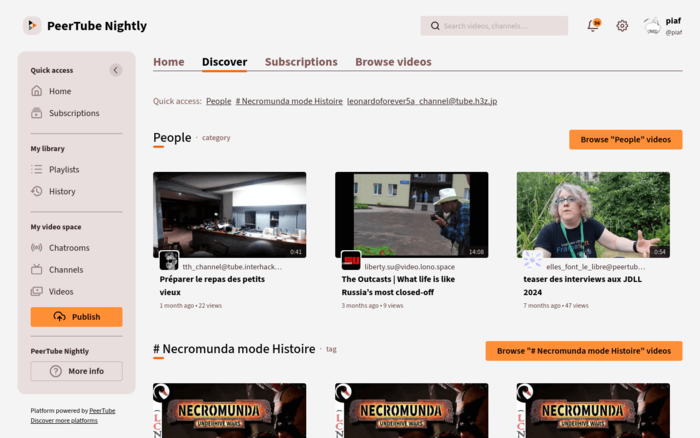
Pros & Cons of PeerTube
😊 Pros
- Completely free and ad-free.
- Download original-quality videos; some anime and short films are natively available in 4K.
😣 Cons
- Lacking mainstream commercial blockbusters.
- Download speeds depend on the specific server node and the number of P2P seeders.
6. Public Domain Movies
Link: https://publicdomainmovie.net/
Rating: ⭐⭐⭐
Public Domain Movies specializes in providing access to classic films in the public domain. Users can stream or download films for free. Although most of the films here are older and 4K movie download options are relatively limited, this platform still offers some value to users looking for free classic movies and legal downloads.
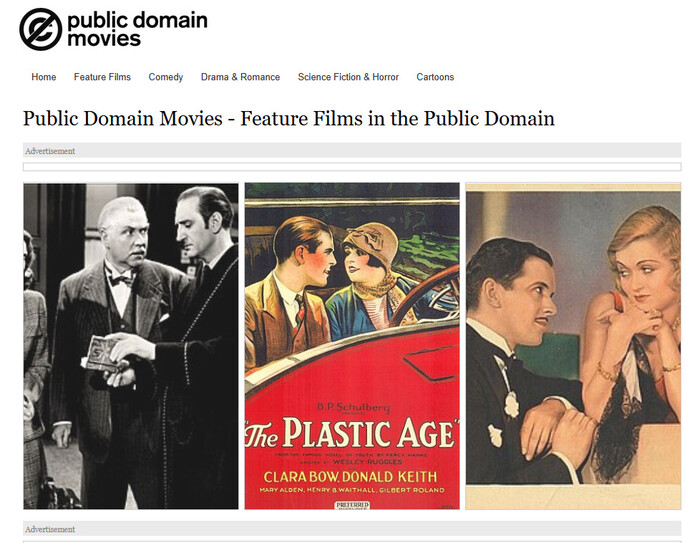
Pros & Cons of Public Domain Movies
😊 Pros
- Features a range of classic films with no copyright disputes.
- The web interface provides intuitive HTTP download links, eliminating the need to download a third-party client.
😣 Cons
- The content is quite old.
- Most videos are lower native video quality, and 4K movies are extremely rare.
- The website interface is relatively outdated and lacks categorization.
Part 3 : 4 Legal Ways to Download Real 4K Movies
⚠️ Note: Although the following tools offer true 4K movie downloads, most of them are not free, and the downloaded files cannot be freely transferred—they can only be viewed within the corresponding apps.
1. Kaleidescape
Link: https://www.kaleidescape.com/
Rating: ⭐⭐⭐⭐
Kaleidescape is a digital movie store specifically designed for home theaters. After purchasing, users can download 4K movies directly to their Kaleidescape system and watch it offline. The service explicitly offers 4K Ultra HD and 4K HDR downloads, and some content even supports Dolby Vision and lossless audio.

Pros & Cons of Kaleidescape
😊 Pros
- Some movies can be downloaded to local devices in 4K Ultra HD format.
- Some movies support advanced picture quality formats such as HDR10 and Dolby Vision.
- Legal and properly licensed.
😣 Cons
- Kaleidescape's hardware and movie prices are typically higher than those of standard streaming services.
- Requires dedicated hardware.
- Kaleidescape is subject to regional restrictions and is not available to all users worldwide.
2. Movies Anywhere
Link: https://moviesanywhere.com/home
Rating: ⭐⭐⭐⭐
Movies Anywhere is an ideal 4K movie download site for everyday users. The platform currently features a dedicated 4K UHD Movies category and allows you to download 4K movies to compatible devices for offline viewing (up to 8 authorized compatible devices). It also lets you link your accounts with digital retailers such as Apple, Amazon, Fandango, and Google/YouTube.
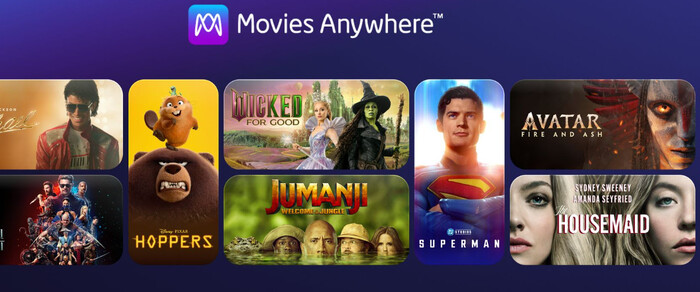
Pros & Cons of Movies Anywhere
😊 Pros
- The platform offers a wide selection of 4K UHD movies.
- You can link to select partner digital stores to manage your movie purchases in one place.
- Movies come from officially licensed digital distribution channels, so there's no need to use pirated download sites.
😣 Cons
- Movies Anywhere is primarily available in the U.S.
- Downloads are subject to platform and device restrictions.
3. Fandango at Home
Link: https://athome.fandango.com/
Rating: ⭐⭐⭐⭐
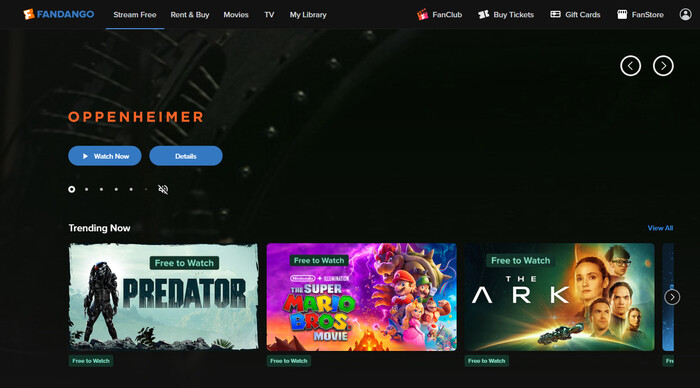
Fandango at Home is also a well-established 4K movie download site. It features a dedicated 4K UHD movie section offering a wide selection of 4K UHD content.
Users can purchase or rent movies and then watch them on supported devices and apps. It also integrates with the Movies Anywhere ecosystem, allowing eligible purchases to be synced to Movies Anywhere.
Pros & Cons of Fandango at Home
😊 Pros
- Offers a wide selection of 4K UHD movies, including new releases, popular blockbusters, and classic films.
- Some movies support HDR10 and Dolby Vision for even better picture quality.
- Movies can be synced to Movies Anywhere for convenient cross-platform management of your digital library.
😣 Cons
- Fandango at Home is primarily intended for the U.S. market; users in other regions may not be able to use it properly.
- The specific video quality depends on the movie itself; some movies are only available in HD.
- Downloaded 4K files cannot be moved or shared.
4. Apple TV
Link: https://tv.apple.com/
Rating: ⭐⭐⭐
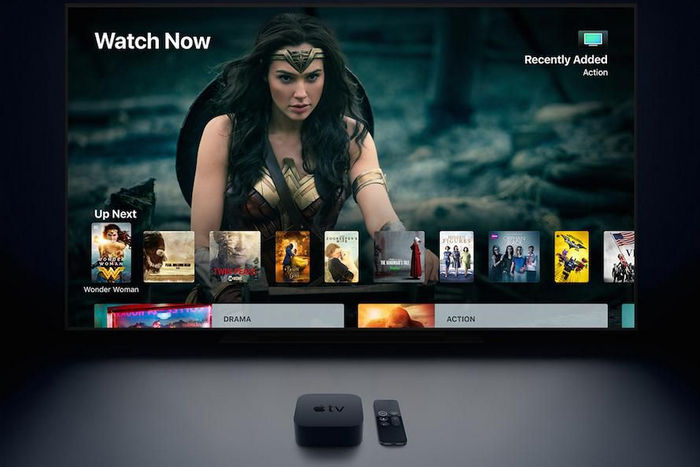
Apple TV is one of the most popular 4K movie download sites among general users.
The Apple TV Store offers a wide selection of movies labeled as 4K, HDR, and Dolby Vision, and purchased movies can be re-downloaded on iPhone, iPad, Mac, and Windows PCs.
Pros & Cons of Apple TV
😊 Pros
- Some movies support 4K, HDR, Dolby Vision, and Dolby Atmos.
- Movies purchased through Apple's official platform are legally licensed.
- Purchased movies can be downloaded to an iPhone, iPad, Mac, or Windows PC for offline viewing.
😣 Cons
- Apple TV's downloads are not in 4K.
- Apple TV is not available to users in certain regions.
- Movies cannot be downloaded directly to your local device.
Part 4: Best 4K Movie Download Tool: Our Recommendation
In the previous section, we introduced 10 free and legal 4K movie download sites. However, these sites either offer very few true 4K movies or require users to purchase them at high prices. Therefore, for users who want more flexibility when downloading movies in 4K, we've tested a professional video download tool for you.
SameMovie Video One is an all-in-one tool that allows you to download from mainstream platforms like Netflix, Amazon Prime, Disney+, HBO Max, and YouTube, as well as movie sites including Tubi, Pluto TV, The Roku Channel, Peacock, Plex, and more.
SameMovie Video One supports video downloads in resolutions up to 8K, depending on the source platform and the original video quality. Plus, all downloaded movies are saved as MP4 or MKV files, so you can transfer them to other devices and keep them permanently.
Key Features of SameMovie Video One:
- Download videos from 1000+ websits
- Download videos in HD quality, including 720p, 1080p, and 8K
- Download multiple videos simultaneously at 10X faster speed
- Preserve multilingual audio tracks and subtitles
- 8X speed recording for any sites: YouTube, Amazon, TikTok & more
How to Download 4K Movie with SameMovie
STEP 1 Install SameMovie Video One
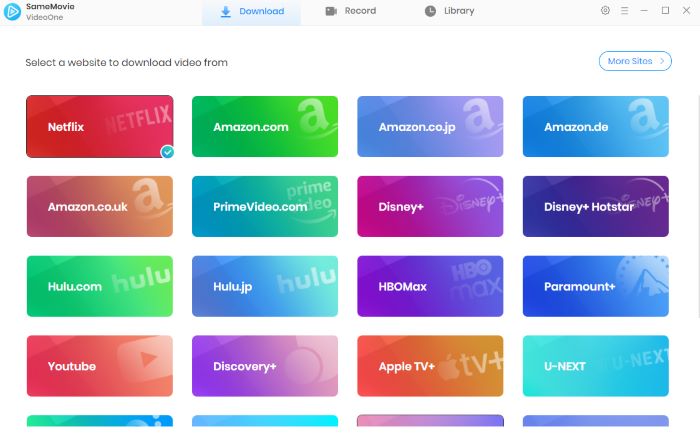
Install and launch SameMovie Video One on your computer, and choose a website you want to download movies from. In this guide, I use YouTube Movies as an example.
Works on Windows 11/10/8/7 and macOS 11 or later.
STEP 2 Search YouTube Movies
Click YouTube Movies, log in with your account, and you can browse and find the YouTube movies you want to download within the built-in browser. Once selected, click the Download button in the bottom-right corner.

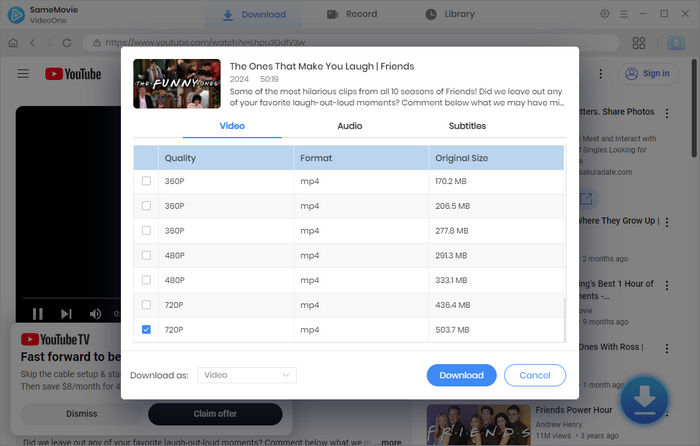
STEP 3 Customize Output Settings
Next, you can select the video quality, audio tracks, and subtitles. SameMovie's download quality depends on the original quality of the video and the platform's restrictions. After you finish setting up, click Download again.
STEP 4 Locate Downloaded Movies
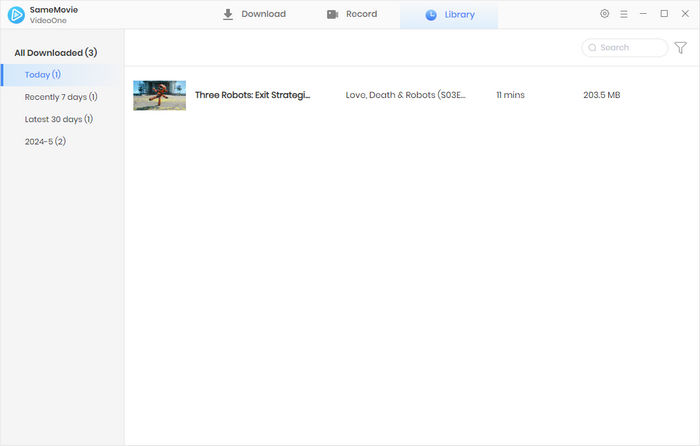
SameMovie will download all the movies you've selected in the background. Once finished, you can find all the downloaded movies in the Library section.
STEP 4 Enhance Video Quality
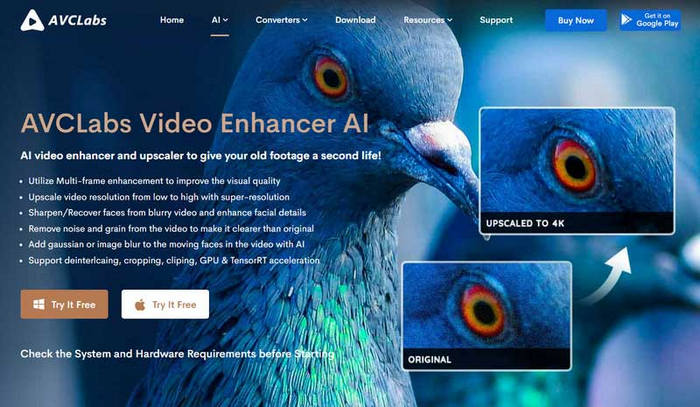
Download Video Enhancer AI and import the downloaded YouTube movie files. Select 4K quality in the settings, then upgrade them to 4K Ultra quality.
Part 5: FAQ About 4K Movie Downloads
Is it legal to download 4K movies?
Yes! All 4K movie download sites introduced in this guide are legal. You can freely enjoy these movies or download them for offline viewing.
However, when you using SameMovie to download movies from Netflix, Amazon, Disney+, etc., you need to be careful and only use the downloads from personal offline viewing casue movies on these platforms are copyright-protected.
What is the difference between 4K UHD and 4K HDR?
4K UHD determines the sharpness of the image, while 4K HDR determines the quality of the image's colors and lighting. The highest-quality picture is typically achieved through the combination of both: 4K UHD + HDR.
When downloading a 4K movie, choose 30 fps or 60 fps?
The vast majority of commercial films are shot and edited at 24 fps or 30 fps. If a standard film is forcibly upscaled to 60 fps, it can result in the "soap opera effect"—where motion appears overly smooth or even distorted, losing the artistic texture that cinema should possess.
Therefore, we recommend that if you are downloading a drama or commercial blockbuster, select 24 fps or 30 fps. If you are downloading sports events, documentaries, or high-frame-rate CG animations, select 60 fps.
Conclusion
4K movie download websites that are completely free and legal are extremely rare. Platforms such as the Internet Archive, Blender Open Movies, and PeerTube offer free, public-domain classic films. If you're looking for more commercial 4K movies, you can choose from legitimate platforms like Kaleidescape, Movies Anywhere, and Fandango at Home.
If you want to download videos from over 1,000 websites and wish to keep them permanently and transfer them at any time, SameMovie Video One is also an option worth considering.
Clark Clinton is a senior writer renowned for her expertise in resolving streaming platform download errors. Her concise writing style and practical methods have earned her a stellar reputation among readers and peers alike. Whether you're facing a technical glitch or seeking streaming tips, Clark's guidance ensures a smooth and enjoyable reading experience.