


Can You Download Tubi Movies for Offline Viewing in 2026?

Nina Prescott March 21, 2026 Category: Topics
Tubi is a streaming platform that has a number of movies without subscription fees. But, there are many people concerned: "Can I download Tubi movies for offline viewing?"
The answer is absolutely yes. In this article, we'll introduce the safest and most practical tools to help you download Tubi movies to your Android phone, iPhone, or laptops — all tools are completely ad-free!
 You May Also Like: 10 Best Tubi Downloaders That Work in 2026 [Tested]

Reading Guide
Part 1: Can You Download Movies on Tubi?
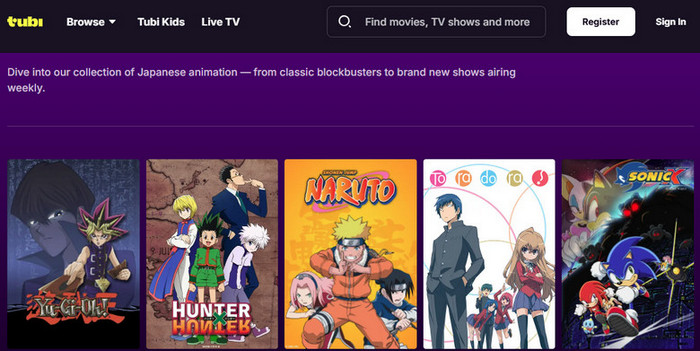
In 2026, Tubi still does not offer any official download or offline viewing feature on Android, iPhone,
or the PC.
This policy has remained unchanged since Tubi launched in 2014. The reason is simple: Tubi is 100% free because it relies entirely on ads (check out how to block Tubi's ads >>). Most of its content licenses from studios like Paramount, Lionsgate, and Warner Bros. explicitly forbid downloads. Tubi has stated multiple times they currently have no plans to add official downloads.
But don't worry - you might still download Tubi movies using legal workarounds. Below are some tested workable methods of how to download movies from Tubi on PC, Android, and iPhone in 2026.
Part 2: How to Download Movies from Tubi on PC (Free, Fast, and in Full HD)
If you've been wondering how to download from Tubi for free on your PC, this is the section for you. Since Tubi doesn't offer an official download option, a tool like SameMovie Video One can make offline viewing possible — letting you download Tubi movies in Full HD, ad-free, and in a format that works on any device.
SameMovie Video One supports downloading from over 1,000 sites, including Netflix, DisneyPlus, HBOMax, Amazon, and of course Tubi. You can download Tubi movies as MP4, MKV, or M4A files, and even adjust video quality, audio tracks, and subtitles before downloading. Even better, SameMovie can skip the ads that normally appear on Tubi. Apart from that, It also makes batch downloads easy. With hardware acceleration, you can download multiple movies in just a few minutes.
Key Features of SameMovie
- Truly Free Downloads: Save Tubi movies with no limits or hidden fees
- Skip All Tubi Ads: Enjoy your movies uninterrupted, even if the original video has ads
- Safe and Clean Interface: No annoying pop-ups or ads — just smooth downloading
- Full HD Movies, No Expiration: Download in up to 1080P and watch anytime, offline
- Flexible Formats & Device Transfer: Save as MP4, MKV, or M4A and watch on any device
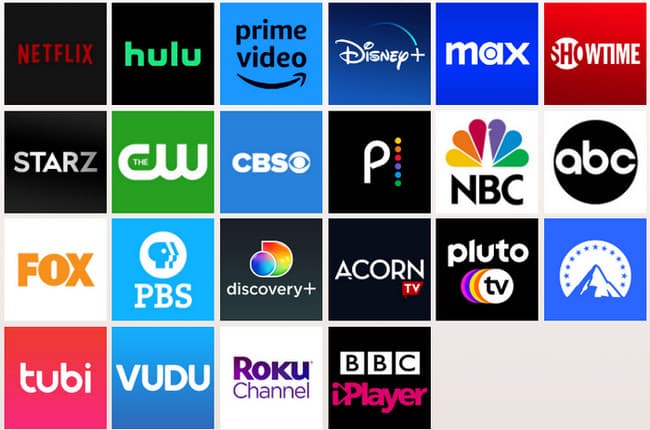
- Supports 1,000+ Streaming Sites: From Netflix and Amazon to Disney+, Hulu, YouTube, and more
- Record Live Streams in Full HD: Capture live content effortlessly for offline viewing
Check out the full review of SameMovie Video One
Free Trial Free TrialHow to Download Tubi movis on PC with SameMovie
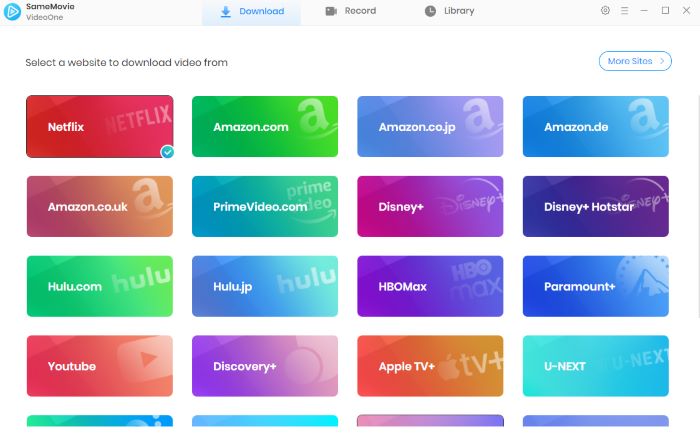
STEP 1 Install and Launch SameMovie
Download and install SameMovie Video One on your PC. Once installed, launch the program and click on "More sites" to access Tubi.
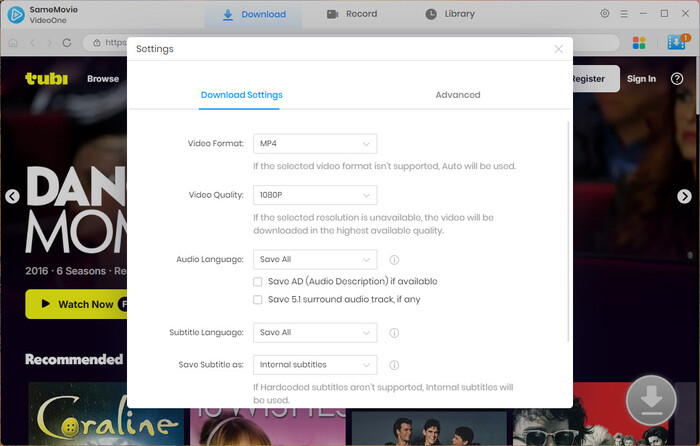
STEP 2 Set Your Preferences
Click the gear icon in the top right corner to choose your preferred video resolution, audio track, subtitle language, and output folder.
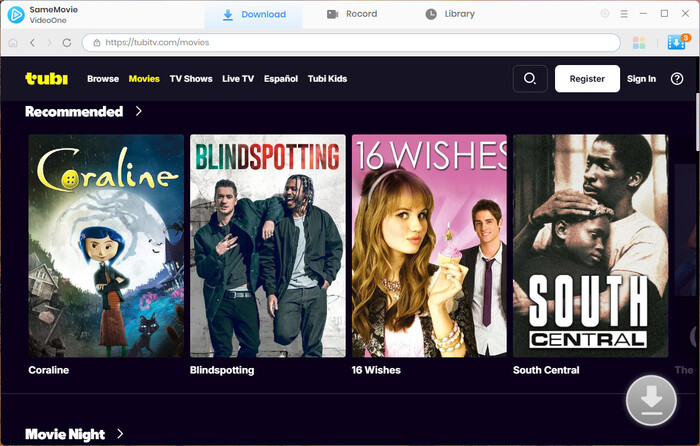
STEP 3 Search for Your Video
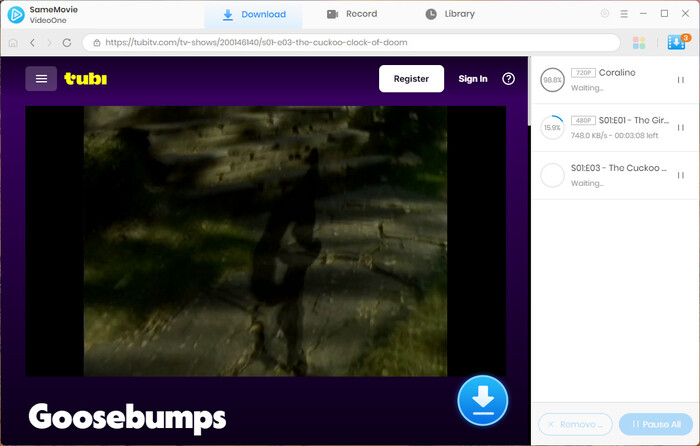
Use the built-in browser to search for your Tubi movie, or paste the movie URL directly into the search bar.
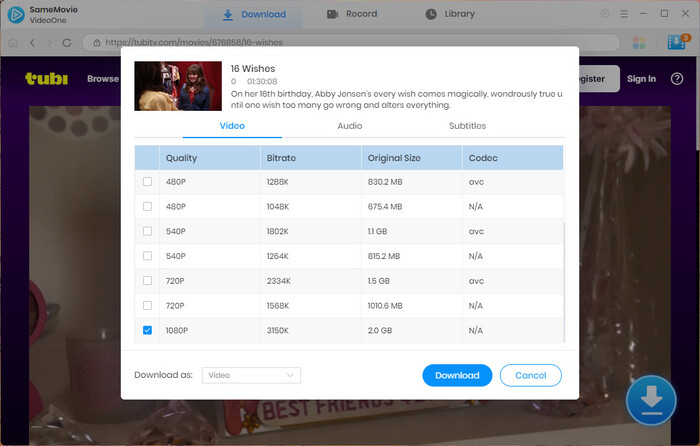
STEP 4 Customize Your Download
Click the Download button. In the Advanced Download settings, you can select video quality, audio tracks, and subtitles. You can also download multiple movies at once with batch download.
STEP 5 Start Your Download
Click Download again to begin. With hardware acceleration, SameMovie lets you download movies quickly while skipping any Tubi ads for an uninterrupted viewing experience.
STEP 6 Access Your Downloaded Videos
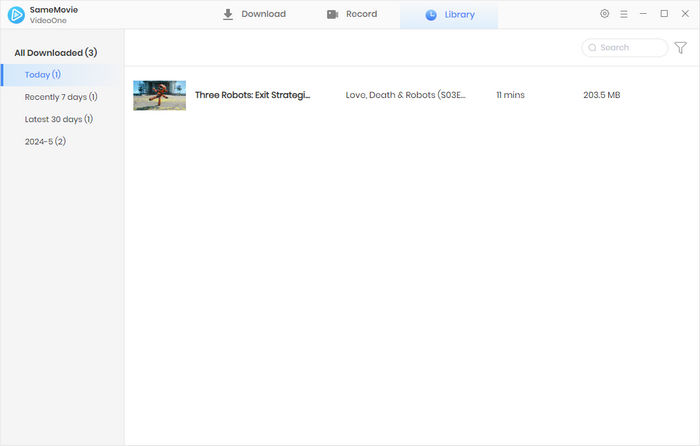
Once finished, go to the Library tab to find all your downloaded Tubi movies. Now, you can watch them offline anytime, anywhere.
Part 3: How to Download Movies from Tubi TV on Android
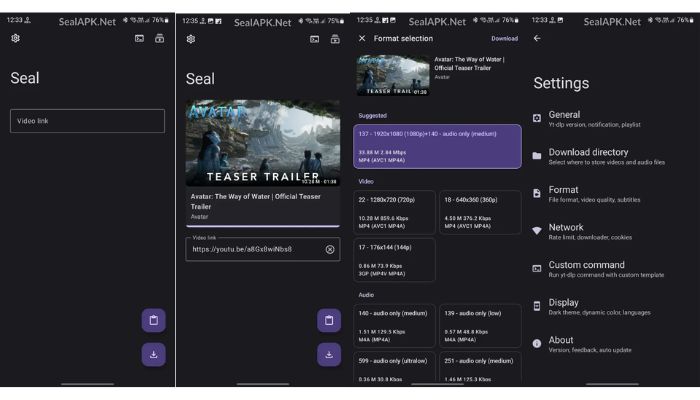
If you've been looking for a reliable way to download Tubi movies on your Android phone for free, Seal is such a great and free tool. According to user reviews on Reddit, Seal is a free and open-source mobile Tubi downloader. You can download videos from streaming sites like YouTube, Facebook, TikTok, Twitter, and of course. Tubi movies.
However, it has one drawback. Seal isn't available on Google Play. This means you can't download it directly and you'll need to download the APK file and install it manually before you can download Tubi movies. This is difficult for users who are not familiar with tech.
How to Download Movies from Tubi TV with Seal
- Install Seal on your Android phone.
- Go to Tubi, find the movie you want, copy the link, and paste it into Seal.
- Choose format, quality, subtitles, etc.
- Tap Download — the Tubi movie will be saved to your phone.
What Are the Pros and Cons of Seal
| Pros |
|
|---|---|
| Cons |
|
Part 4: Can You Download Movies on Tubi on iPhone?
Downloading Tubi TV on your iPhone is more difficult than downloading on PC or Android since Apple always has strict policies against apps that let you download videos from popular streaming services. But don't worry, there are still ways around it.
One app that works well is PlayOn. It lets you record and download movies from platforms like Tubi. You can find it in the App Store, and it starts at just $4.
But be careful, PlayOn does show up on the US Digital Millennium Copyright Act (DMCA) takedown list. Using it can cause some risk.
⚠️Looking for a truly free tool to download Tubi movies? Try SameMovie!!
How to Download Movies from Tubi TV with PlayOn
- Install PlayOn Cloud on your iOS device.
- Open the app, go to the Tubi channel, and find the movie or show you want to record.
- Tap the Record button to start recording the title.
- When finished, download the recording to your device for offline viewing — you can watch it anytime.
What Are the Pros and Cons of PlayOn
| Pros |
|
|---|---|
| Cons |
|
Part 5: FAQs about Downlaoding Movies on Tubi as MP4
Will downloaded Tubi movies expire?
No. If you use tools like SameMovie or Seal to download Tubi movies, these downloads will never expire, because they're saved locally on your device.
Is it legal to download movies from Tubi?
Yes! Downloading Tubi movies for personal use is generally considered legal. But remember don't share, repost, or distribute these downloaded videos publicly.
Is it safe to use third-party Tubi downloaders?
Yes — it's generally safe as long as you choose a trusted tool. The real risks usually come from pop-ups or redirects in some apps. Just pick a clean interface and ads-free desktop downloader like SameMovie Video One. It helps to reduce the risk of downloading and safer than most online downloaders.
What is the best Tubi TV downloader for MP4 in 2026?
If you're still unsure which tool is the best or how you can download Tubi movies more easily, the comparison table below gives you a quick comparison.
| Features | SameMovie | Seal | PlayOn |
|---|---|---|---|
| Rating | ⭐⭐⭐⭐⭐ | ⭐⭐⭐⭐ | ⭐⭐⭐ |
| Compatibility | Windows & Mac | Android Only | iOS & Android |
| Free | ✅ | ✅ | ❌ (at least $4.99/month) |
| Ad-Free | ✅ | ✅ | ✅ |
| Batch Download | ✅ | ✅ | ❌ |
| Safe | ✅ | ✅ | ❌ (On DMCA List) |
| Video Quality |
1080P for Tubi (Up to 8K for YouTube) |
1080P for Tubi (Up to 2160p for other sites) |
Record 1080P video |
| Key Features | 1000+ streaming sites support; 8X Record liveTV |
Open-source | Record video, no ads |
Final Words
Can you download Tubi movies easily in 2026? After testing all three tools across PC, Android, and iOS, the answear were pretty clear.
SameMovie delivered the most stable MP4/MKV downloads with the best balance of speed, quality, and customization. Seal worked well on Android but required more manual work, and PlayOn was the only real option for iPhone users—though the real-time recording made it slower.
If your goal is simply to get clean, full HD MP4 files without paying extra, SameMovie ended up being the most consistent performer in our tests.
Nina Prescott is a senior writer renowned for her expertise in resolving streaming platform download errors. Her concise writing style and practical methods have earned her a stellar reputation among readers and peers alike. Whether you're facing a technical glitch or seeking streaming tips, Nina's guidance ensures a smooth and enjoyable reading experience.


What You'll Need

Recommend