


How to Download Movies on Peacock on Laptop to Watch Offline (2026 Latest)

Nina Prescott July 8, 2026 Category: Topics
Last week, I was sitting in the departure hall, trying to download the latest episodes of Love Island and The Real Housewives on Peacock for my long journey on the flight. However, when I opened Peacock on my Mac, I realized that there was no download button to save Peacock shows.
If you have ever experienced the same thing as I did, you should check out this article about how to download shows and movies on Peacock on Android, iPhone, Windows, or Mac.
 You May Also Like: Top 5 Peacock Downloaders [2026 Latest]

Reading Guide
- Part 1: Can You Download Movies on Peacock to Watch Offline?
- Part 2: How to Download Peacock Shows on iPhone or Android(Official Method)
- Part 3: How to Download Movies on Peacock on Laptop
- Part 4: Best Way to Download Peacock: Official Method vs SameMovie
- Part 5: FAQs about Downloading Movies on Peacock on Laptop
Part 1: Can You Download Movies on Peacock to Watch Offline?
Yes, you can download movies and shows on Peacock for offline viewing — but you must satisfy two main requirements first.
Requirement 1: Devices
Peacock supports the download feature, but not all devices have access to this feature. According to Peacock's official guide, only mobile and tablet devices with the Peacock app can download certain movies and shows on Peacock for offline viewing.
Requirement 2: Paid Subscription
In addition to having the right device, you must also have a Peacock Premium Plus subscription to unlock the download feature. Here's a detailed table showing the exact pricing and subscription plans for Peacock.
| Features | Select | Premium | Premium Plus |
|---|---|---|---|
| Pricing | $7.99/month | $10.99/month | $16.99/month |
| TV Shows (NBC, Bravo, etc.) | ✅ | ✅ | ✅ |
| Without Ads | ❌ | ❌ | ✅ |
| Live Sports & Events | ❌ | ✅ | ✅ |
| Hit Movies & Peacock Originals | ❌ | ✅ | ✅ |
| Offline Viewing | ❌ | ❌ | ✅ |
Limitations of Downloading Movies on Peacock
Beyond the basic requirements, there are still some important limitations when downloading movies and shows on Peacock for offline viewing.
- ❌ Each Peacock Premium Plus account can only download up to 25 pieces of content on each device.
- ❌ Certain downloadable content can only be downloaded up to 10 times.
- ❌ Downloaded content that you have started watching will expire within 48 hours. If you have not started watching it, it will expire after 30 days.
If you want to download movies on Peacock within the app, you should be aware of these restrictions and remember to watch your downloaded content before it expires.
Part 2: How to Download Peacock Shows on iPhone or Android(Official Method)
Now that you understand the requirements and limitations, here's the good news: downloading movies and shows on Peacock is actually very straightforward on mobile devices.
If you have a Peacock Premium Plus subscription and a compatible iPhone, iPad, or Android device, you can easily download Peacock movies and shows to watch offline. Below is a step-by-step guide for both Android and iOS.
- Install the Peacock TV app from the App Store, then launch it.
- Log in with your Peacock Premium Plus account, then browse the content in the app.
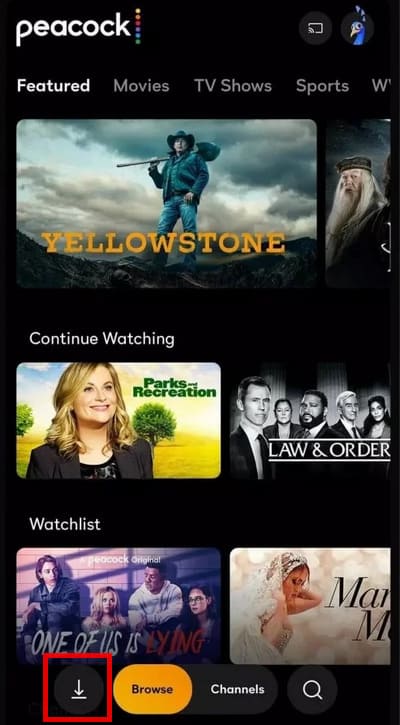
- Once you find the movies or shows you want to download on Peacock, simply click the Download button next to the episodes.
- Once finished, head to the Download tab to find all your downloaded Peacock movies on your mobile device.

Part 3: How to Download Movies on Peacock on Laptop
Since Peacock does not officially support downloading movies or shows directly on laptops, many users turn to professional downloaders.
SameMovie Video One is the software I recommend the most out of all the ones I've used. It allows you to download movies on Peacock on laptops, including Windows PCs and Macs, and supports downloads from 1,000+ other sites, including Netflix, Amazon Prime, Disney+, HBO Max, YouTube, and more. All the downloads are saved as MP4/MKV files, so you can transfer them to any device you like, and you won't have to worry about your subscription ending or your official downloads expiring anymore.
Another feature I like most is that SameMovie allows you to download movies on Peacock without Premium. You can buy the basic Select subscription plan of Peacock, and SameMovie will help you get rid of Peacock ads and download only the movies or shows without interruption.

Key Features of SameMovie Video One:
- Download movies, TV shows and sports on Peacock on laptops
- Download videos from 1000+ websits
- Download videos in HD quality, including 720p, 1080p, and 8K
- Download multiple videos simultaneously at 10X faster speed
- Preserve multilingual audio tracks and subtitles
- 8X speed recording for any sites: YouTube, Amazon, TikTok & more
How to Download Movies on Peacock with SameMovie
STEP 1 Install SameMovie Video One
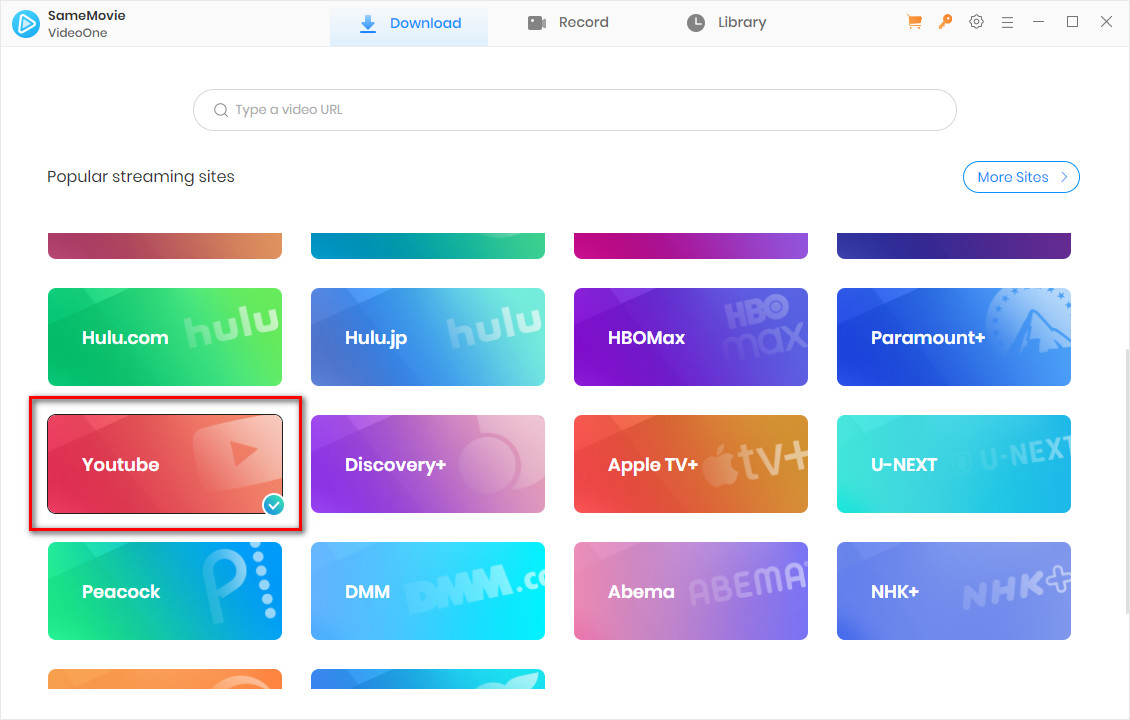
Download SameMovie Video One on your Windows or Mac first. Then choose Peacock as the platform and log in to your account.
STEP 2 Search for Peacock Movies
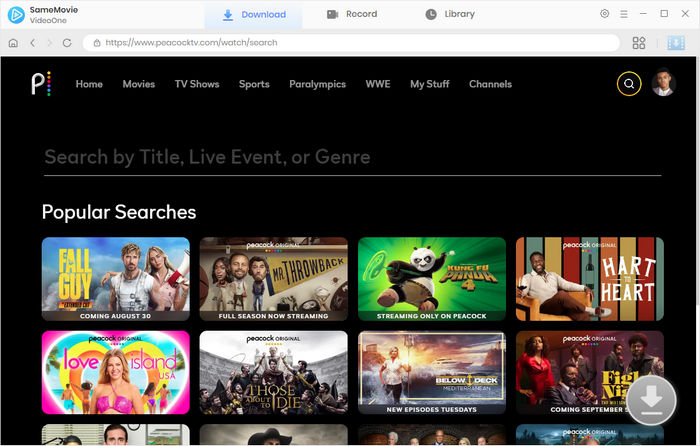
SameMovie has a built-in browser, so you can easily browse and find the movies or shows you want to download on Peacock within the program.
STEP 3 Adjust Advanced Download Settings for Peacock
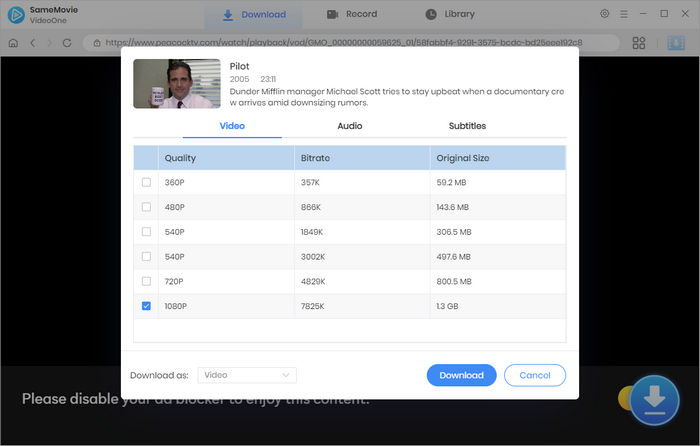
After the video you want to download is loaded, click the Download button in the bottom-right corner. In the new Advanced Download pop-up window, you can freely select the video quality, audio tracks, and subtitles you want. After that, click Download again.
STEP 4 Locate the Downloaded Files
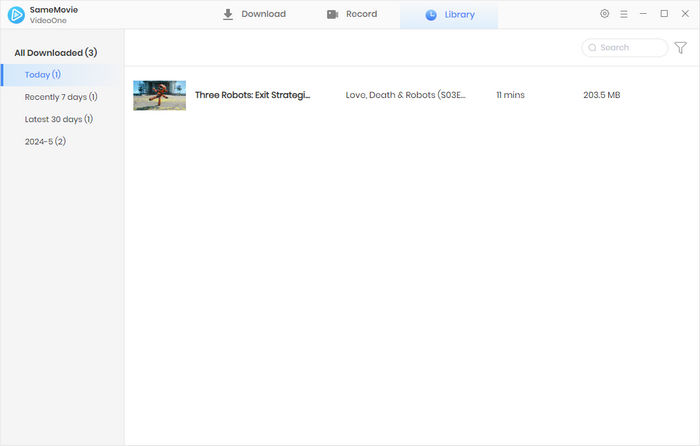
Once the downloads are finished, head to the Library tab to find all your downloaded Peacock movies.
That's it. With a few simple steps, you can download movies on Peacock on your laptop for offline viewing.
Part 4: Best Way to Download Peacock: Official Method vs SameMovie
We have introduced two methods to download movies on Peacock on laptops and mobile devices: one is the official download feature in the Peacock app, and the other is downloading Peacock content with SameMovie. So, which method is better and easier for downloading?
The following table compares the detailed advantages and drawbacks of the two methods.
| Features | Official Method | SameMovie |
|---|---|---|
| Supported Devices | Mobiles and Tablets |
Windows 10-11 macOS 11-26 |
| Output Video Quality | 1080P | 1080P |
| Output Format | Peacock app format only | MP4/MKV/M4A |
| Transferrable | ❌ | ✅ |
| Save Downloaded Movies Forever | ❌ | ✅ |
| Unlimited Peacock Movies Downloads | ❌ | ✅ |
| Watch Offline Without Peacock App | ❌ | ✅ |
| Download Without Premium Plus | ❌ | ✅ |
| Ads-Free | Only Premium Plus | ✅ |
Part 5: FAQs about Downloading Movies on Peacock on Laptop
Why won't Peacock let me download episodes?
There are a couple of reasons preventing you from downloading episodes on Peacock. Before downloading, please confirm the following:
- Whether your subscription is Premium Plus (kindly note the difference between Premium and Premium Plus.
- Whether your device supports the download feature. Please note that Peacock only supports mobile and tablet devices for downloading.
- Not all content on Peacock can be downloaded. If you already have a Premium Plus plan, are using a supported device, and there is still no Download button, it means the content cannot be downloaded.
Can you download sports on Peacock?
Of course. As long as you have a Premium Plus subscription, you can download available content, including movies, shows, and sports content, on Peacock using Android or iPhone. If you want to download sports content on Peacock on a PC or Mac, you might need a third-party tool like SameMovie Video One.
Is it legal to download movie on Peacock?
It depends on how you use these downloaded movies. If you only download movies on Peacock with SameMovie for personal offline viewing, it may be acceptable. However, if you share, redistribute, or sell these downloaded files, you may violate copyright laws.
Final Words
This article has covered everything you need to know about how to download movies on Peacock on laptops. We explained the official way to download Peacock shows and movies on Android and iPhone, as well as reliable to download movies on Peacock on laptops.
While Peacock's native download feature is limited to mobile devices, tools like SameMovie Video One make it possible to download high-quality movies and shows on Peacock directly on your laptop. If you want to download Peacock movies as MP4/MKV files and save them forever, try SameMovie now.
Nina Prescott is a senior writer renowned for her expertise in resolving streaming platform download errors. Her concise writing style and practical methods have earned her a stellar reputation among readers and peers alike. Whether you're facing a technical glitch or seeking streaming tips, Nina's guidance ensures a smooth and enjoyable reading experience.
Tips You May Want to Know

What You'll Need
Recommend