


How to Download Netflix Videos with Multiple Audio Tracks (2026 Guide)

Claire Green September 25, 2026 Category: Netflix Tips
Netflix is a popular worldwide streaming platform that offers thousands of excellent movies and shows with multiple audio tracks, different languages, and subtitles. However, when downloading Netflix movies through its official app, there is only one or two audio tracks available to download.
So, what if you want to save dozens of multiple audio tracks? In this article, I'll introduce a tested method to download Netflix videos with multiple audio tracks, allowing you to switch between different languages freely for language learning, second editing, or content creation. Keep reading!
You may also want to know 👉: How to Download Netflix with Subtitles in 2026

Part 1: What Are Netflix Audio Tracks?
Generally, the audio tracks offered by Netflix are primarily divided into multilingual tracks and multichannel tracks:
1. Multilingual Tracks
To enable users around the world to binge-watch movies and shows, Netflix offers multiple audio tracks with 40+ languages, such as English, French, Spanish, German, Korean, Japanese, and more. In addition, it includes an "Audio Description" track for people with visual impairments.
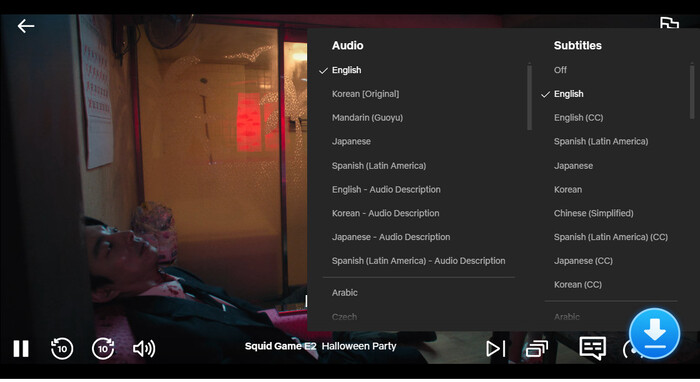
These multilingual tracks aren't easily created by AI or a machine voice translator. Instead, Netflix's casting directors hold open auditions to find the most suitable voice actors based on the original characters' age, gender, voice quality, and even personality traits, to produce these multilingual audio tracks.
Thus, even if the audio track is in a language different from the original video, you can still binge-watch the Netflix shows in the language you're most comfortable with.
2. Multichannel Tracks
For the same multilingual track, Netflix offers the following audio tracks, and the system will automatically switch between them based on your playback device:
- 2.0 Stereo: Basic left and right channels.
- 5.1 Surround Sound: Includes left, center, right, left rear, right rear, and subwoofer, for a total of 6 channels.
- Dolby Atmos: Immersive audio based on object-based technology. It is not limited to fixed channels and can reproduce a sound field in three-dimensional space.
Part 2: Why Download Netflix Videos with Multiple Audio Tracks?
Some people might wonder, "Since I can choose different audio tracks whenever I watch Netflix movies online, why would I want to download them?" In fact, downloading Netflix videos with multiple audio tracks offers even more benefits.
1. Watch Netflix movies with multiple audio tracks offline
In common sense, switching audio tracks requires an internet connection. However, if you download the audio tracks you want in advance, you can switch to your preferred audio track at any time, and watch Netflix offline without an internet connection.
2. Keep Multiple Language Tracks in One File
Downloading Netflix videos with multiple audio tracks allows you to keep different language versions in a single file, so you can switch between original audio, dubbed versions, and other available tracks whenever you want.
You may also want to know 👉: 34 Free Sites to Watch Dubbed Anime Online
3. Improve Language Learning Efficiency
Language learners can download the original audio track and the target-language audio track, then watch with subtitles or listen to the audio while comparing the two, thereby significantly improving their listening and speaking skills.
4. Create Content for Editing, Research, or Personal Projects
If you are a content creator on YouTube or TikTok, downloading Netflix videos with multiple audio tracks allows you to easily edit and create content from the downloaded files in the way you like.
Part 3: Limitations of Netflix Official Downloads
The Netflix official app allows you to download videos for offline viewing, but it comes with some limitations when managing multiple audio tracks:
- × For a single episode, you can download at most 2 audio tracks.
- × Netflix downloads audio in only 2.0 stereo, even if you select Dolby 5.1 while streaming.
- × Netflix typically only includes subtitles for the selected audio language. For example, you may not be able to watch a dubbed Japanese audio track with English subtitles.
- × Netflix limits downloads on a single device to 100 titles and requires downloaded content to be watched within 48 hours or 7 days, depending on the title.
Part 4: How to Download Netflix Videos with Multiple Audio Tracks
To overcome the limitations mentioned above, SameMovie provides a more flexible way to download Netflix videos with multiple audio tracks.
SameMovie Netflix Downloader is a tool that helps users download Netflix movies and shows on laptops as MP4/MKV files, with up to 1080P quality.
Before downloading, it allows users to choose different audio tracks, including multilingual tracks and multichannel tracks, and subtitle modes (internal, external, and hardcoded). Once downloaded, all the audio tracks are saved in one file, so you can easily switch between different languages and audio qualities (Dolby 5.1), and watch Netflix with any subtitles you want.
Another powerful feature of SameMovie is ad removal. Even if you only have the Standard with ads plan, you can download Netflix movies without ads and interruptions. Besides, you can select several episodes or movies to download at the same time with 10X faster speeds.
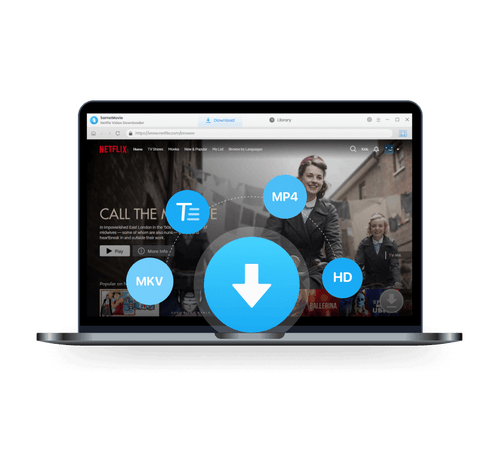
Key Features of SameMovie Netflix Video Downloader:
- Unlimited downloads of Netflix movies, TV shows, documentaries, and save them forever
- Save Netflix as MP4/MKV files, transfer them to any device
- Download Netflix videos in up to 1080P quality
- Download Netflix with all subtitles and audio tracks at on time
- Remove Netflix ads, watch without interruption.
- Download different episodes and movies simultaneously
Step-by-Step Guide to Downloading Netflix Videos with Multiple Audio Tracks
STEP 1 Install SameMovie Netflix Video Downloader
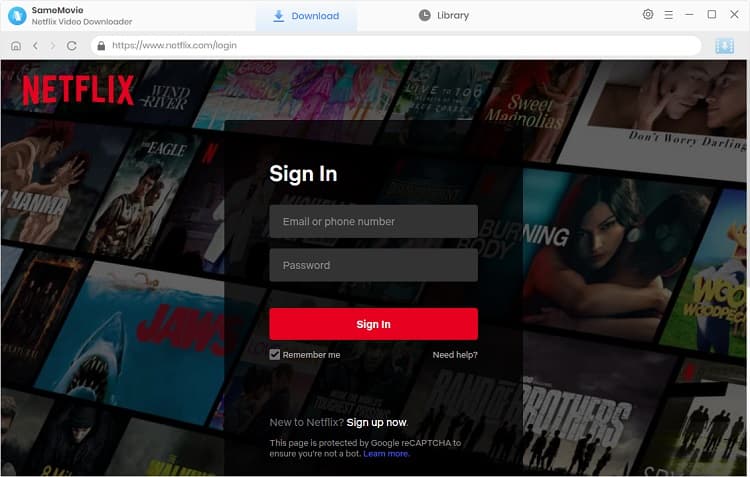
Download and install SameMovie Netflix Video Downloader on your Windows or Mac. Then, launch the software and log in to your Netflix account.
STEP 2 Search for Netflix Movies and Shows
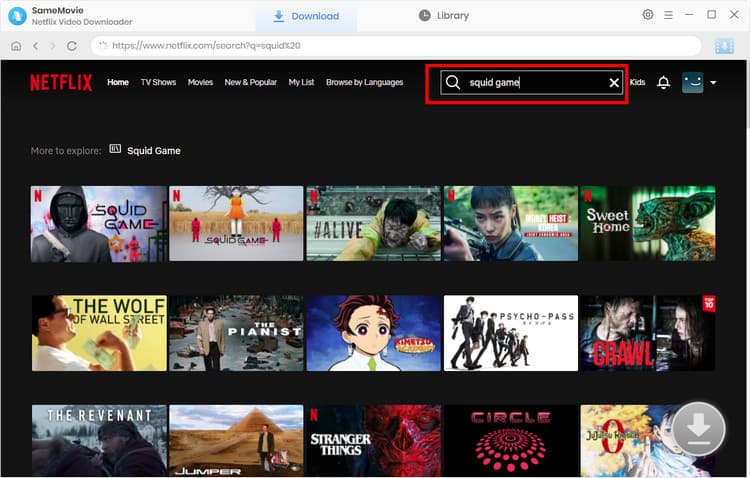
Browse and search for the Netflix movie or show you want to download within SameMovie's built-in browser, and wait for the Download button in the bottom-right corner light up.
STEP 3 Choose Multiple Audio Tracks
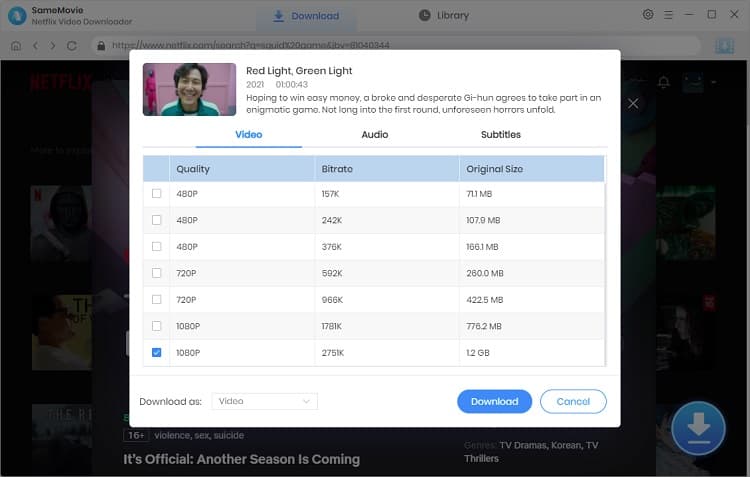
Click the Download button, and an Advanced Download window will pop up. Here, you can select your desired video quality, audio tracks, and subtitles.
Generally speaking, SameMovie can capture all audio tracks from Netflix's original videos. You can select all the audio tracks you want at once, and SameMovie will automatically download them into a single file.
STEP 5 Locate Downloaded Netflix Files
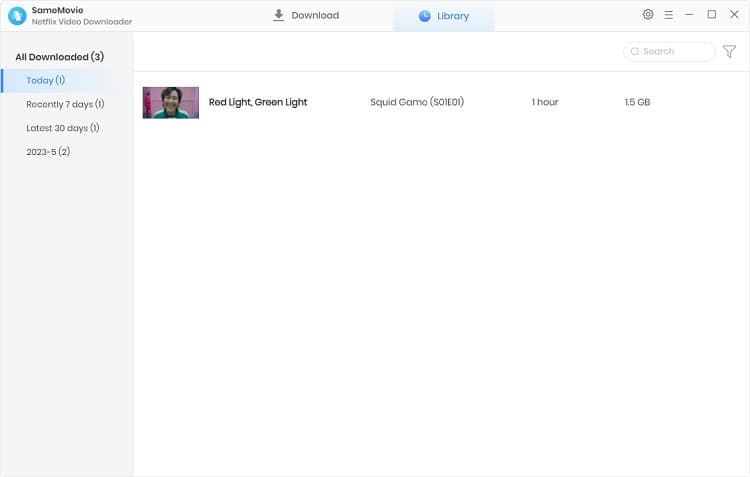
After Advanced settings, click Download again. Once finished, you can find all the downloaded files in the Library tab.
Netflix Official Download vs SameMovie: Key Differences
| Features | Official Netflix Downloads | SameMovie Netflix Video Downloader |
|---|---|---|
| Download Multiple Audio Tracks | ❌ Limited (Up to 2 audio tracks) | ✅ |
| Select Audio Tracks Before Downloading | ❌ | ✅ |
| Keep Multiple Audio Tracks in One File | ❌ | ✅ |
| Extract Audio or Subtitles | ❌ | ✅ |
| Output Video Format | Netflix App Format | MP4 / MKV |
| Subtitle Modes | Limited |
Internal subtitles External subtitles Hardcoded subtitles |
| Watch Downloaded Videos Outside Netflix App | ❌ | ✅ |
| Batch Download Multiple Episodes | ❌ Limited | ✅ |
| Preserve Downloads Forever | ❌ | ✅ |
Part 5: FAQS about Netflix Multi Audio Track Download
How to convert Netflix to MP3?
Netflix does not provide an official MP3 export option, so you need a third-party tool to download and extract the audio. You can use SameMovie to download Netflix to MP4 files, then use a format converter to convert Netflix to MP3.
Can you do multiple downloads on Netflix?
No. Netflix does not offer a batch download feature. You can only download one episode or movie at a time.
How to change Netflix audio track?
When playing a video, tap the "Audio & Subtitles" icon in the bottom-right corner and select the audio track you want.
Is it legal to download Netflix with SameMovie?
Downloading Netflix content with SameMovie for personal offline viewing, language learning, or educational purposes may be acceptable. However, redistributing downloaded files or using them for commercial purposes may violate your local policies.
Final Words
After reading this article, you can clearly understand what kinds of audio tracks Netflix offers, the advantages of downloading Netflix videos with multiple audio tracks, and the limitations of Netflix's official downloads.
If you want to keep all Netflix audio tracks at the same time while maintaining the original Netflix Dolby 5.1 quality, you can consider using SameMovie Netflix Video Downloader.
Claire Green, a content writer specializing in blogs. With a passion for streaming video, Claire explores the latest trends, reviews popular platforms, and provides insightful tips for optimizing your streaming experience.



What You'll Need
Recommend