


3 Best Methods to Download YouTube Video Playlist in 2026

Nina Prescott September 25, 2026 Category: Topics
Have you ever encountered this kind of situation? Trying to download videos on YouTube, but found out that even in 2026 it still doesn't support downloading an entire YouTube playlist? Besides, the premium fees, downloads expiration dates and limited quality make the downloading experience awful.
The good news? There are workarounds. In this guide, I'll walk you through 3 practical methods that let you download full YouTube video playlists for free, without Premium, safely, and even in 4K or higher — all in just one click.
 You May Also Like: 4 Easy Methods to Download YouTube Videos on Mac in 2026
Reading Guide
Method 1: Download YouTube Playlist on Laptop in One Click (Free, Easy & 100% Work)
SameMovie Video One is a free and reliable YouTube playlist downloader, which lets you download playlist YouTube videos in one click. Thanks to its built-in hardware acceleration, the download speed stays fast and steady no matter how large the playlist is — even if the playlist contains dozens or hundreds of videos.
Quality also isn't a concern. Unlike tools that compress videos, SameMovie saves the original video quality. Whether the playlist is in 1080p, 4K, or up to 8K, you get it exactly as it is. You can export the entire YouTube videos playlist to MP4, MKV, M4A, or MP3, so you can transfer them to USB, move to any device, and never worry about downloads expiring.

Features of SameMovie YouTube Playlist Downloader
- Download full YouTube video playlists in One click.
- Ultra-fast speed with hardware acceleration.
- Keep original quality — up to 8K video & high-res audio.
- Multiple output formats (MP4, MKV, M4A, MP3).
- Permanent offline files, no expiration.
- Built-in browser for easier playlist detection.
- Clean & ad-free experience.
How to Download YouTube Video Playlist with SameMovie?
STEP 1 Install & Open SameMovie
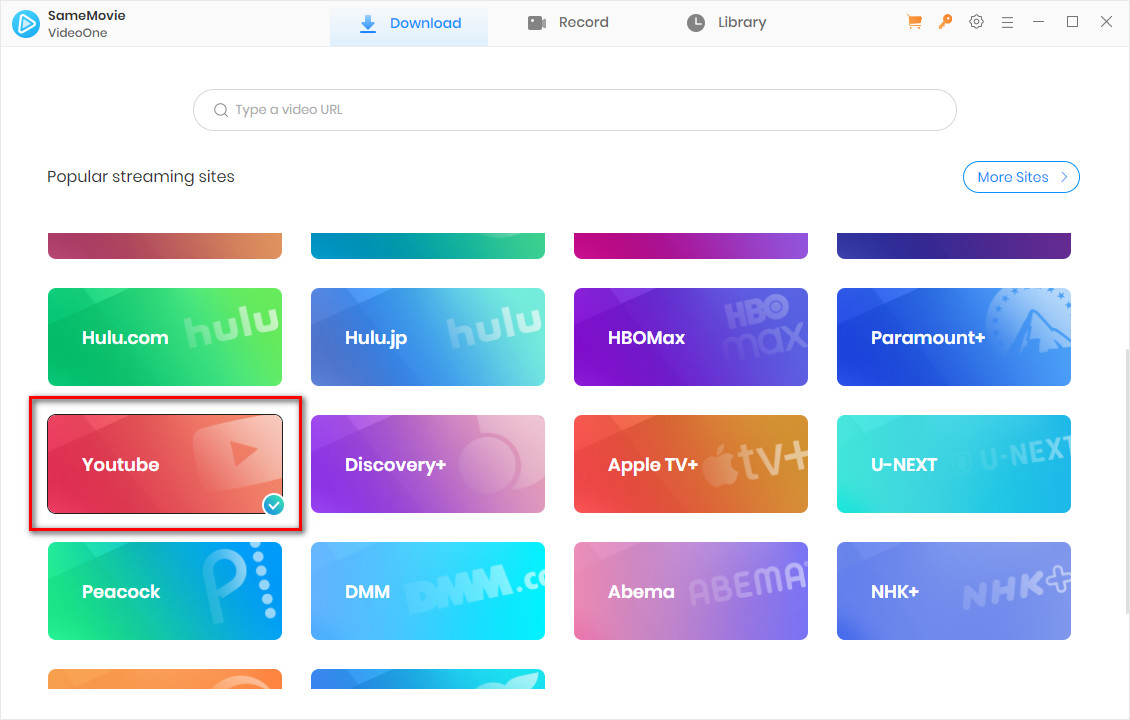
Download and launch SameMovie Video One on your Windows or Mac computer. Choose YouTube or YouTube Music as your download platform.
STEP 2 Set Your Download Preferences
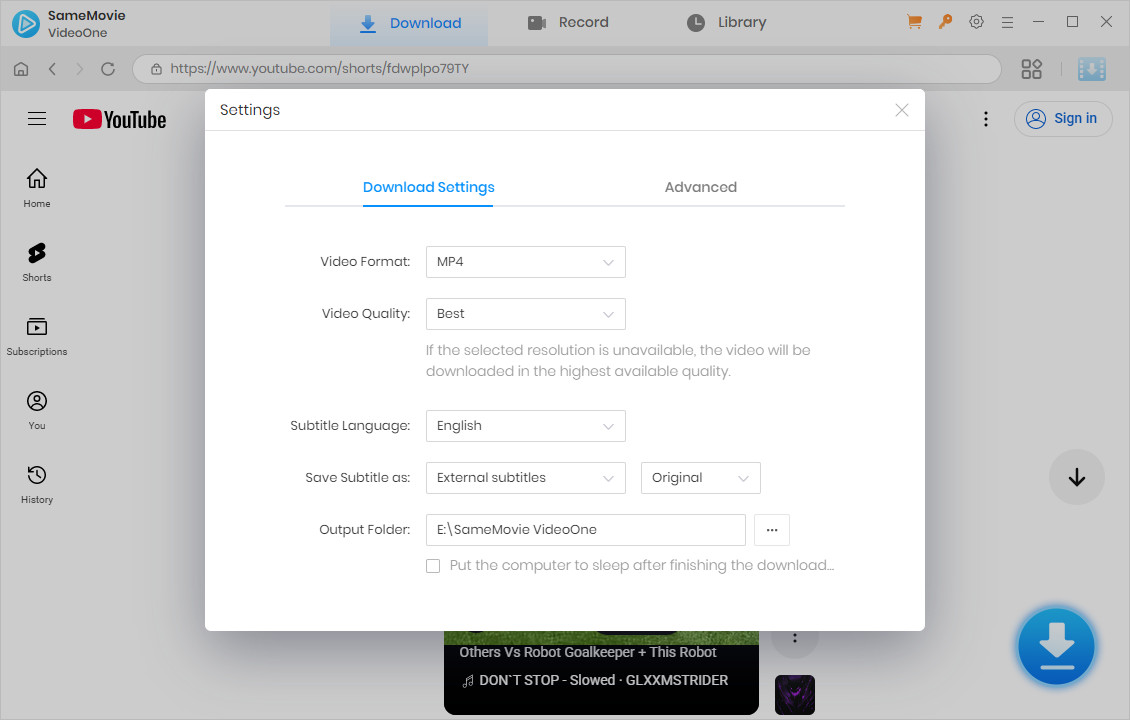
Click the gear icon in the upper-right corner to customize your default settings: output format (MP4/MKV), video resolution, audio and subtitles language, and your save path.
STEP 3 Add the YouTube Playlist
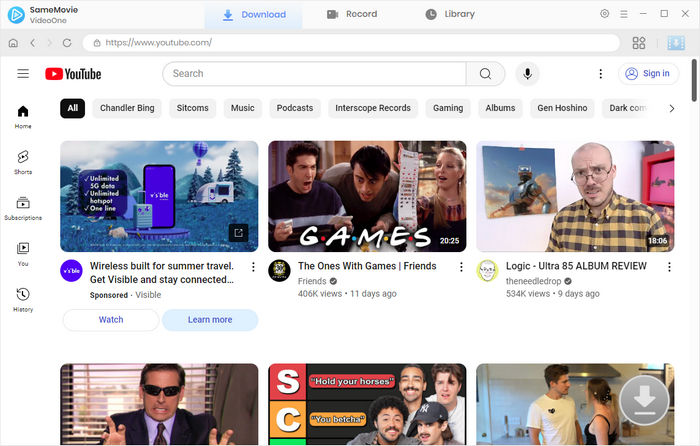
Copy the entire YouTube playlist link and paste it into SameMovie's search bar.
Alternatively, you can browse the playlist directly using the built-in browser inside the program.
STEP 4 Select Playlist Videos to Download
Once the playlist loads, SameMovie will display all videos in a pop-up window.
You can download the entire YouTube video playlist in one click, or choose specific videos you want to download.
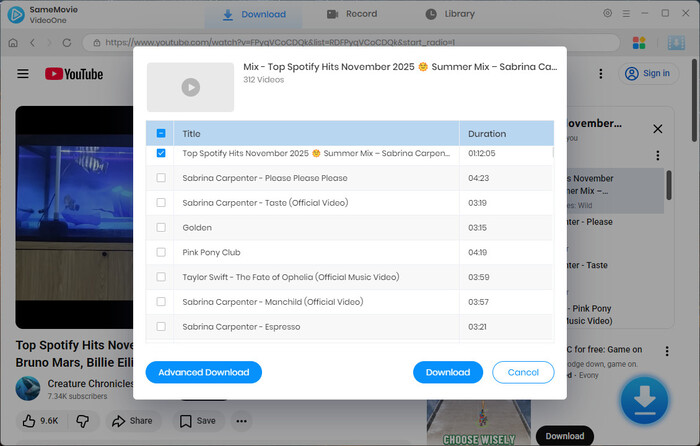
STEP 5 Start Downloading Your Playlist
Click "Advanced Settings" in the bottom-left corner to fine-tune video quality, audio language, and subtitle options, then click "Downlaod".
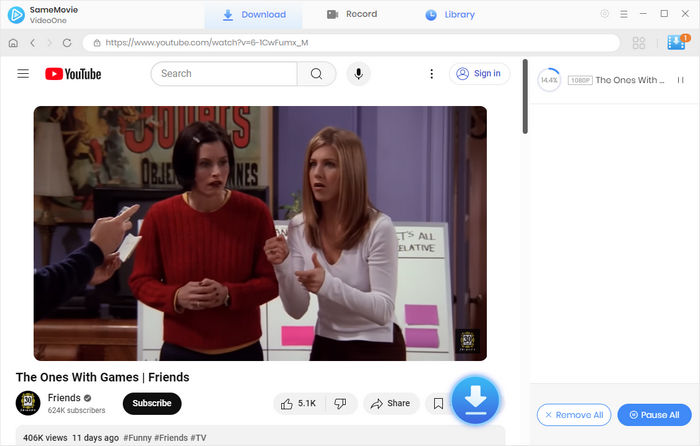
STEP 6 Access Your Downloads Anytime
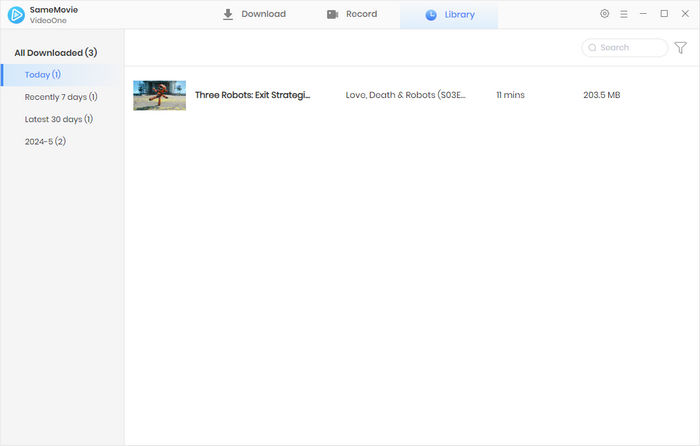
Open the Library tab to view all completed videos.
Your YouTube playlist is now permanently saved to your device, ready to watch offline, transfer to other devices, or archive without expiration.
Method 2: Download YouTube Playlist Using yt-dlp from GitHub
If you're looking for a free, open-source solution to download YouTube playlists, yt-dlp is one of the most recommended tools on GitHub. Many users on Reddit praise it for its ability to download full YouTube vodeo playlists and custom output format — all without paying for Premium.
However, yt-dlp is not an easy choice for beginners or anyone unfamiliar with basic coding. Unlike SameMovie, the one-click desktop app, it requires typing commands and understanding a few options.
How to Download YouTube Playlist Using yt-dlp
- Go to the official yt-dlp GitHub releases page and download the latest file (Windows:
yt-dlp.exe; Mac/Linux:yt-dlp) for your system. - Open Command Line:
- Windows: Press
Win + R, typecmd, and press Enter. - Mac: Open Terminal from Applications > Utilities.
- Windows: Press
- Open the YouTube playlist you want to download and copy the URL from the address bar.
- Type or copy the following command (replace
<playlist-link>with your URL): yt-dlp -o "%(title)s.%(ext)s" <playlist-link>- If you want to customize output format:
- Download in MP4 format:
yt-dlp -f "mp4" <playlist-link> - Download audio only (MP3/M4A):
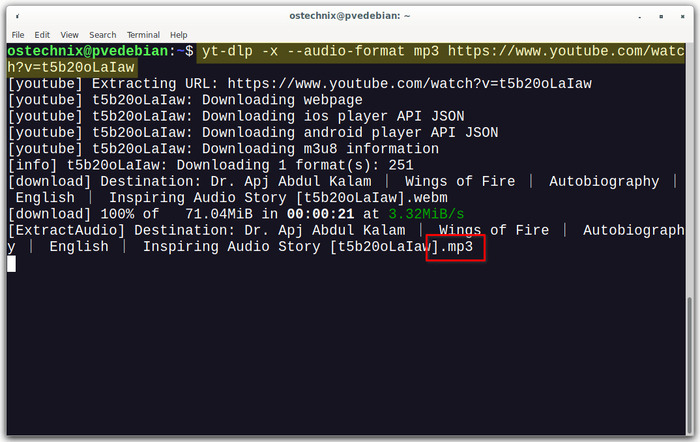
yt-dlp -x --audio-format mp3 <playlist-link>
You've now finished downloading YouTube playlist using yt-dlp. This method has a high success rate, but it is difficult for people who are not familiar with computer literate. If you want a simpler and faster method, you should try SameMovie.
What Are the pros and cons of Using yt-dlp
| ✅Pros |
|
|---|---|
| ❌Cons |
|
Method 3: The Best YouTube Playlist Download App for Mobile
Downloading a full YouTube playlist on mobile will be very convenient for people who are commuting or travelling. By doing so, you can take out your phone and start enjoying your favorite videos even without wifi!
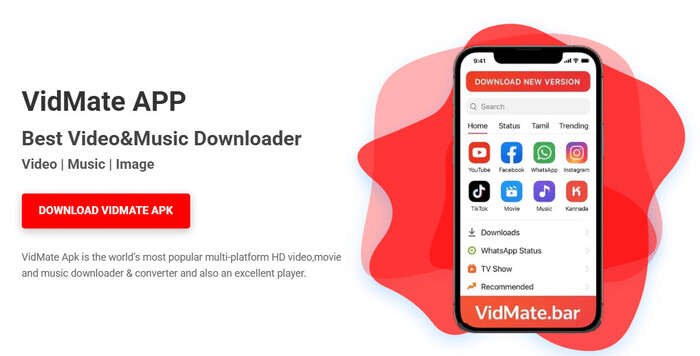
VidMate is a great tool helping download entire YouTube playlists directly on your phone. It has been certified by CM Security, Lookout, and McAfee, so you can use it to download safely. You can see many users on Rediit recommend it and it has 4.5-star score on Uptodown. There is only one drawback of VidMate - in-app ads, so it may not be ideal for users who prefer an ad-free experience.
How to Download YouTube Playlist Using Vidmate
- Download and install VidMate from the official website.
- Open YouTube in VidMate, then navigate to the playlist you want or paste the URL.
- Select Download, adjust any settings if needed, and VidMate will save the videos automatically.
What Are the pros and cons of Vidmate
| ✅Pros |
|
|---|---|
| ❌Cons |
|
FAQs about Downloading YouTube Playlist
Can I download YouTube playlists on iOS devices?
Downloading playlists on iOS is a bit difficult since Apple's App Store has strict restrictions on apps like video downloader, but it's not impossible. You can desktop tools like SameMovie Video One to download the whole playlists in MP4 format, then transfer the files to your iPhone or iPad. This way, you can enjoy offline viewing freely on your iOS device.
Can I download only YouTube audio/subtitles from a playlist?
Yes. With SameMovie, you can easily extract audio only in formats like MP3 or M4A, and also download subtitles in multiple languages.
Is it legal to download YouTube playlists with SameMovie?
Downloading playlists does not violate YouTube's terms of service as long as you use it for personal offline viewing. But if you redistribute downloaded videos or use it commercially, it can violate YouTube's terms of service and even the legal.
Final Words
Whether you're on mobile or desktop, there are several ways to download YouTube video playlists. yt-dlp offers advanced options for tech-savvy users, and VidMate is convenient for Android users on the go. SameMovie lets you download full YouTube playlists at a time, preserve original video and audio quality, and supports multiple formats for offline viewing. This makes SameMovie become many users' first choice.
Nina Prescott is a senior writer renowned for her expertise in resolving streaming platform download errors. Her concise writing style and practical methods have earned her a stellar reputation among readers and peers alike. Whether you're facing a technical glitch or seeking streaming tips, Nina's guidance ensures a smooth and enjoyable reading experience.

What You'll Need
Recommend