


3 Best YouTube to MP4 Converters for Mac in 2026

Nina Prescott October 27, 2026 Category: Topics
Want to convert YouTube videos to MP4 on Mac for offline viewing and play your favorite videos on other devices? Finding a free, safe, and high-quality YouTube to MP4 converter for Mac isn't always easy.
No worries! To help you find the right solution, we tested and compared 3 YouTube to MP4 converters for Mac, including a free 8K YouTube downloader, a Mac-native application, and a popular online converter. Keep reading to find out their features, pros and cons, and use cases, and choose the best YouTube to MP4 converter for you.
 You May Also Like: Top 9 Safe & Free YouTube Video Downloaders [PC/Online/Android]
Reading Guide
- Part 1: Quick Comparison of the Best YouTube to MP4 Converters for Mac
- Part 2: Best 8K YouTube to MP4 Converter for Mac - SameMovie⭐
- Part 3: Best Mac-Native YouTube to MP4 Converter - Downie 4
- Part 4: Best Online YouTube to MP4 Converter for Mac - Y2Mate
- Part 5: FAQs about YouTube to MP4 Converters for Mac
Part 1: Quick Comparison of the Best YouTube to MP4 Converters for Mac
To help you quickly find a suitable tool, we tested and compared 3 YouTube to MP4 converters for Mac based on their pricing, compatibility, maximum resolution, batch downloading support, and more.
| Feature | SameMovie YouTube Downloader 👑 | Downie 4 | Y2Mate |
|---|---|---|---|
| Pricing | Free | $19.99 one-time payment | Free |
| Compatibility | macOS 11–26 and Windows 10/11 | macOS only | Any OS with a supported web browser |
| Maximum Video Quality | Up to 8K | Up to 4K | Up to 1080p |
| Audio-Only Downloads | ✅ | ✅ | ✅ |
| Batch Downloading | ✅ | ✅ | ❌ |
| Supported Platforms | YouTube and 1,000+ streaming sites | YouTube and 1,000+ websites | Primarily YouTube |
| Output Formats | MP4, MKV, M4A, MP3 | MP4 and other available formats | MP4, MP3 |
| No Installation Required | ❌ | ❌ | ✅ |
| Highlights | High-quality downloads across devices | Mac-native experience | Occasional, no-install downloads |
Part 2: Best 8K YouTube to MP4 Converter for Mac - SameMovie
If you are looking for a free YouTube to MP4 converter that save Youtube videos in high quality on Mac, SameMovie YouTube Video Downloader is worth considering. It supports downloading YouTube videos in resolutions of up to 8K, and saving them as MP4 or MKV files, making them easy to watch offline or on other devices.
What's more, with batch downloading and hardware acceleration, you can download an entire YouTube playlist in just a few minutes.

Key Features of SameMovie YouTube Video Downloader
- Free to download YouTube videos, Shorts, and playlists
- Save YouTube content in up to 8K without compression)
- Permanently download YouTube videos as MP4, MKV, or MP3 files
- Batch download multiple videos with 10X faster speed to save your time
- Download from other 1000+ streaming sites
How to Download 8K YouTube Videos with SameMovie
STEP 1 Install SameMovie YouTube Video Downloader
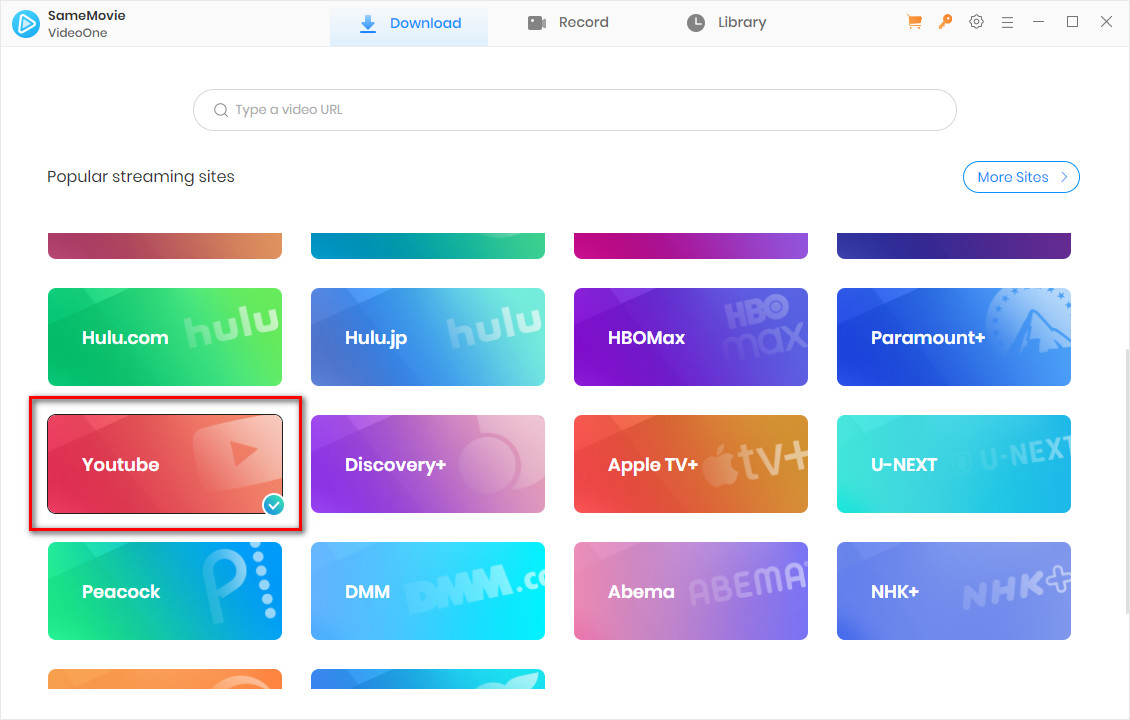
Install and launch SameMovie YouTube Video Downloader on your Mac (macOS 11-26 supported). Click YouTube from the interface and log in with your account.
STEP 2 Find Your YouTube Movie
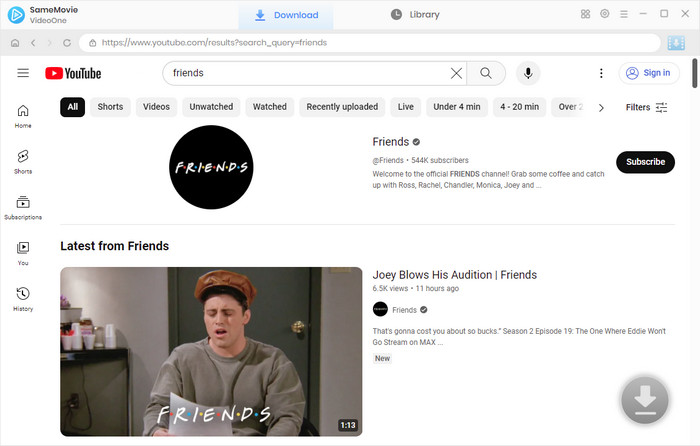
Next, search the YouTube videos you want to download within the web player, or simply paste the video link in the search bar.
STEP 3 Set up Output Settings
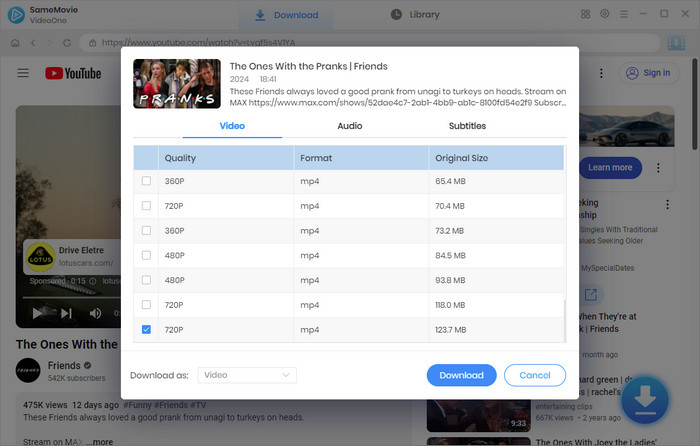
In the Advanced Download window, select the video quality to 8K, and audio tracks, and subtitles you desired. After you finish setting up, click the "Download" button again.
STEP 4 Locate Downloaded YouTube Videos
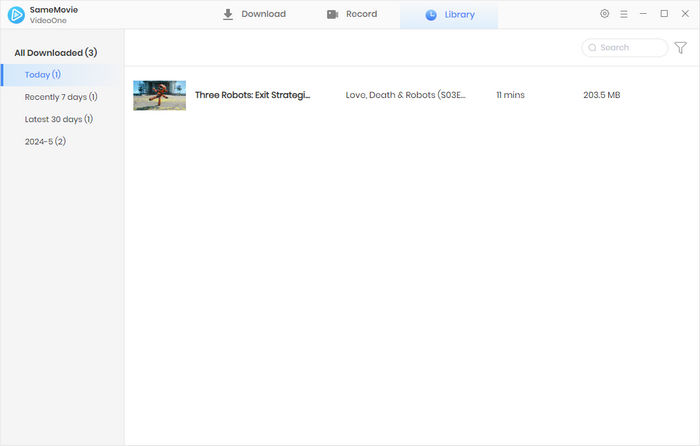
Once finished, head to the Library tab to access all your downloaded YouTube videos.
Part 3: Best Mac-Native YouTube to MP4 Converter - Downie 4
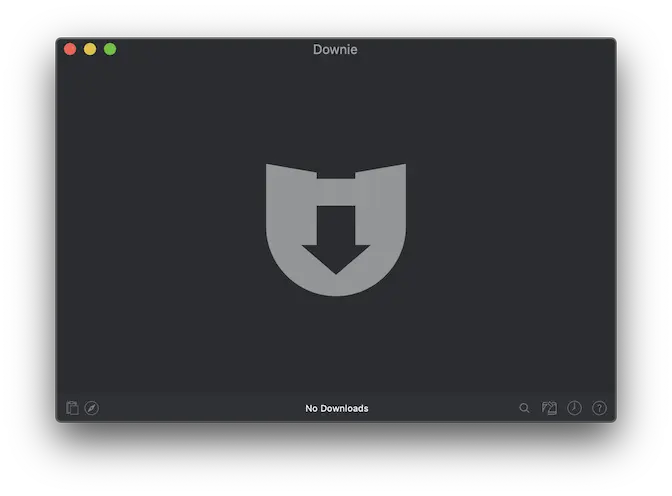
Downie 4 is a dedicated Mac-native program that allows users to download videos from YouTube and other platforms directly to their Mac in MP4 format. It supports downloads in up to 4K quality, which is lower than SameMovie's maximum 8K resolution. It also offers a browser extension and other useful features. However, it is not free and costs $19.99 for a lifetime license.
How to Convert YouTube Videos to MP4 on Mac with Downie 4
- Install Downie 4 on your Mac (macOS 11 or later).
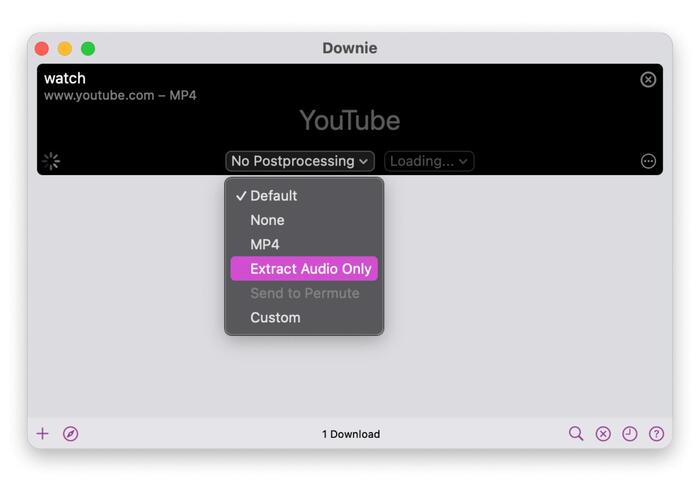
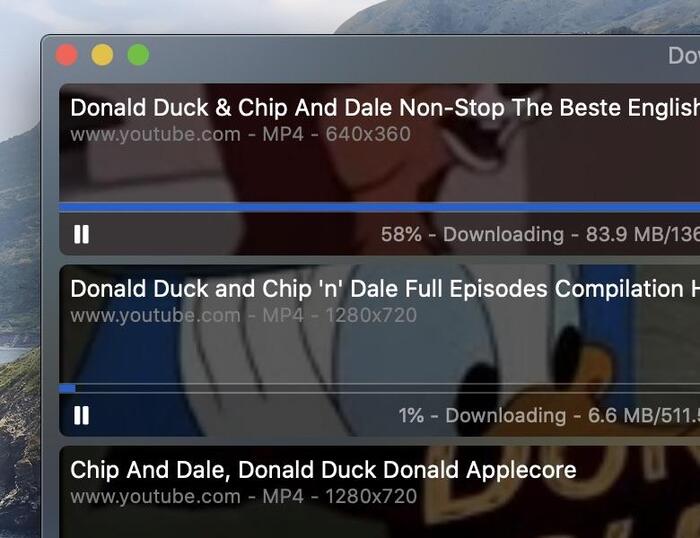
- Drag and drop a YouTube link from your browser into Downie's main window.
- In the upper corner, choose the output format (MP4), audio-only extraction, or a custom option.
- Click the download button and wait for Downie to finish downloading.
- Mac-native software, easy to use.
- Lightweight, fast, and well-optimized for Apple Silicon.
- Supports 1,000+ websites, not just YouTube.
- Not completely free; a paid license is required after the trial.
- Maximum resolution is limited to 4K.
- Only available for macOS.
- Does not support downloading from DRM-protected streaming services (Netflix, Disney+, etc.)
- Open the YouTube video you want to download in your browser and copy the video link.
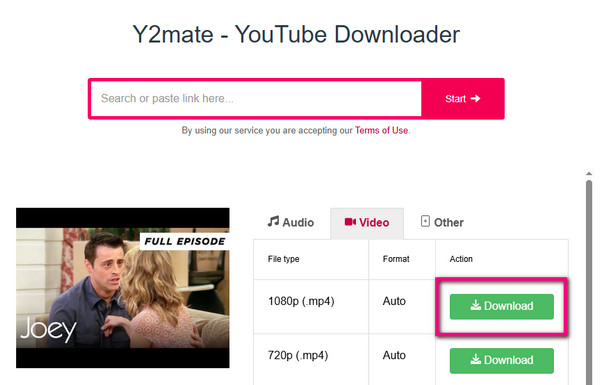
- Open Y2Mate and paste the link into the input bar.
- Wait for the site to process the link, then choose the MP4 format and the resolution you need (up to 1080p).
- Click the Download button and wait for the download to finish.
- Free to use.
- No login or installation required.
- Easy to use.
- Supports downloading YouTube videos as MP4 or MP3 files.
- Supports resolutions of up to 1080p only.
- Some download buttons trigger redirect ads.
- Domains can change frequently.
- Download links may occasionally fail to work.
- No batch or playlist downloading.
Pros & Cons of Downie 4
😊 Pros
😣 Cons
Part 4: Best Online YouTube to MP4 Converter for Mac - Y2Mate
Y2Mate is a free online YouTube to MP4 converter. Users can convert and save YouTube videos as MP4 files directly through their browser without installing any additional software on their Mac.
Compared to desktop software such as SameMovie and Downie 4, Y2Mate is better suited for users who only want to download videos occasionally and don't want to install a desktop application.
How to Convert YouTube Videos to MP4 on Mac with Y2Mate
Pros & Cons of Y2Mate
😊 Pros
😣 Cons
Part 5: FAQs about YouTube to MP4 Converters for Mac
Is It Legal to Convert YouTube Videos to MP4 on a Mac?
If you only use downloaded videos for personal offline viewing, it is generally considered acceptable. However, distributing them or using them for commercial purposes may violate local laws.
Do I Need a YouTube Account to Use These Converters?
No. Neither of the converters introduced in this guide requires a YouTube account. You can browse YouTube as a guest, find the video you want to download, and copy and paste the link into the converter. It will process the link automatically.
Final Words
In general, choosing the right YouTube to MP4 converter depends on your specific needs. Downie 4 is a good choice for those who prefer a native Mac app, while Y2Mate offers a convenient online option without requiring software installation.
For users looking to download high-quality YouTube videos for free, SameMovie is also worth considering.
Nina Prescott is a senior writer renowned for her expertise in resolving streaming platform download errors. Her concise writing style and practical methods have earned her a stellar reputation among readers and peers alike. Whether you're facing a technical glitch or seeking streaming tips, Nina's guidance ensures a smooth and enjoyable reading experience.


What You'll Need
Recommend